Podcast editing in 2026 looks almost nothing like it did five years ago. What used to be a multitrack DAW slog – trimming ums, chasing loudness targets, de-reverbing bad Zoom audio – is now, for most shows, a few clicks inside an AI-first editor. Filler words get removed automatically. Bad rooms sound like studios. Transcripts are ready before you close the project.
Best AI Podcast Editing Software 2026
But “AI podcast editor” covers wildly different tools. Some, like Descript, rebuild the entire editing workflow around a text transcript. Others, like Auphonic or Cleanvoice AI, are post-production layers you drop a file into. And classic DAWs (Audition, Hindenburg, Audacity) have quietly added their own AI features without changing what they are. Below is how I’d pick between them in 2026, based on what each tool actually does well, not just marketing.
Related: Best AI Podcast Editing Tools
1. Descript
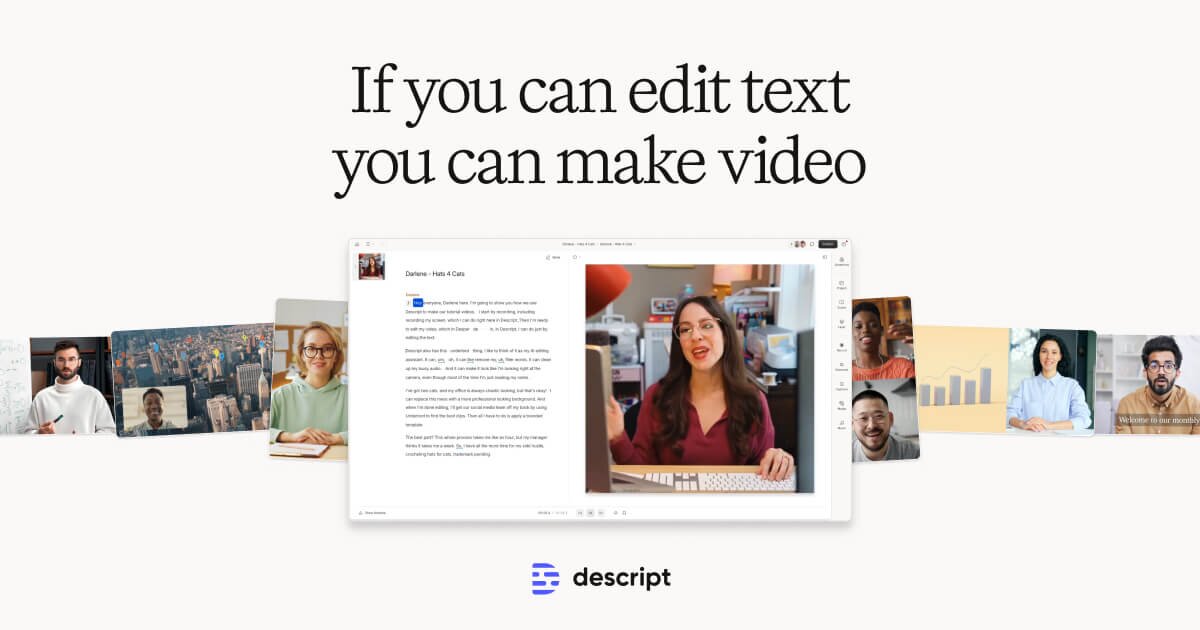
Descript is the AI podcast editor I keep coming back to.
Key AI features:
- Text-based editing – cut the transcript, the audio cuts itself.
- Studio Sound enhances voice and suppresses room noise without the “underwater” artifacts older tools introduce.
- One-click filler-word removal, plus a “remove retakes” pass that catches duplicate sentences.
- Overdub (trained voice clone) rewrites small mistakes by typing.
Price: Free plan (1 hour of transcription, watermarked exports), Hobbyist $16/month, Creator $24/month, Business $40/month (all billed monthly; annual billing is cheaper). Hours of transcription/editing are capped per tier, which is the main thing to watch – long-form interview shows burn through the Creator allowance fast.
My take: Descript is the default recommendation for anyone starting now. The one friction I keep hitting is that sync between the transcript and timeline occasionally drifts on very long files, and you’ll want to double-check crossfades before exporting. See our full Descript review.
2. Adobe Podcast & Audition
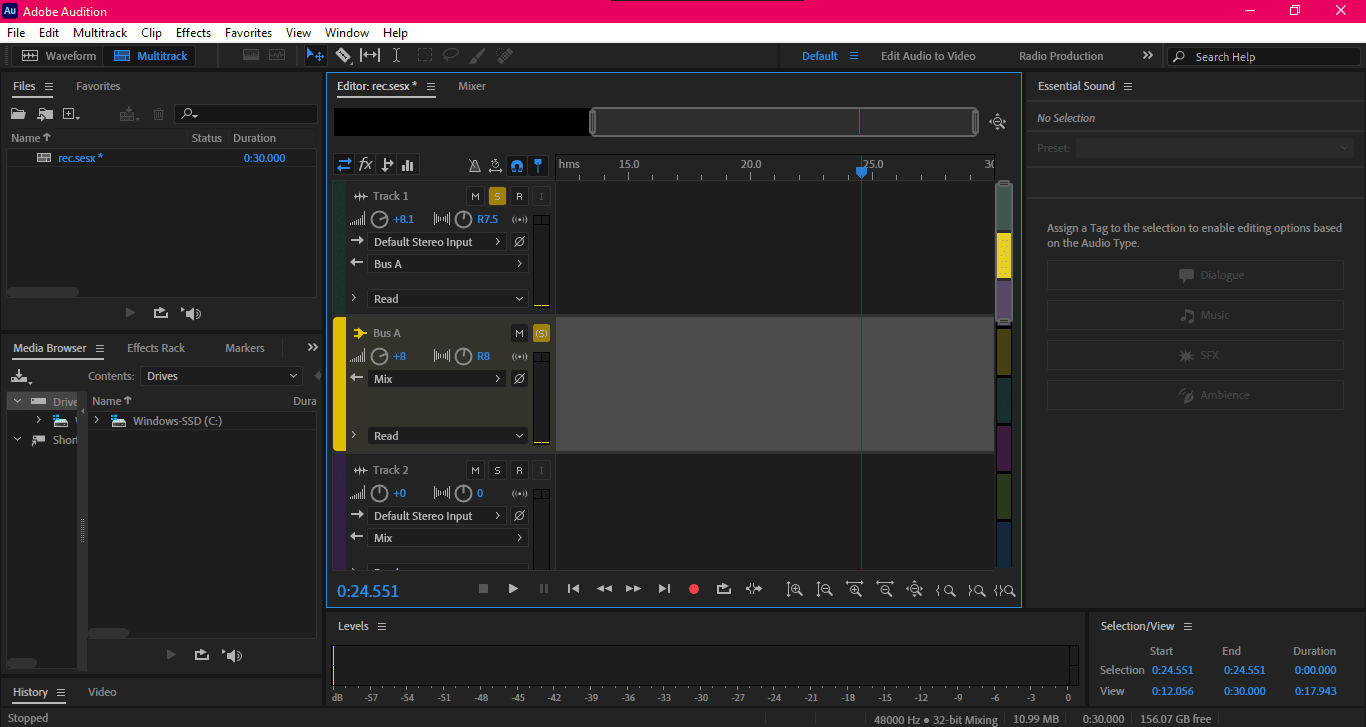
Adobe’s podcast stack is now split into two pieces. Adobe Podcast is a web app built around Enhance Speech – a processing model that makes laptop-mic and phone recordings sound close to studio quality. Audition is the full DAW for people who want manual control over spectral editing, multitrack mixing, and dialogue cleanup.
Key AI features:
- Enhance Speech (free tier available) is the single most useful AI audio tool released in the last two years – upload, download, done.
- Audition’s auto-ducking, dereverb, and spectral noise removal are still best-in-class for anyone comfortable with a traditional DAW.
- Session Templates and batch processing apply your EQ/compression chain across every episode.
Price: Adobe Podcast has a free tier with limits on duration and export quality; Adobe Audition is $22.99/month as a single app or $59.99/month as part of Creative Cloud All Apps.
Verdict: Based on Adobe’s published specs, Enhance Speech remains the benchmark for fixing bad source audio. The downside: Audition’s learning curve is steep if you just want to produce a weekly show, and the Creative Cloud subscription model is aggressive if you don’t already pay for it. See our Adobe Podcast review.
3. Audacity
Audacity is still the free, open-source multitrack editor most podcasters start with. It’s cross-platform, it’s permanent, and it won’t lock your files behind a subscription. The 3.x series added nondestructive editing and a plug-in manager that lets you bolt on AI features from third-party models, including noise suppression and voice isolation.
Key features:
- Full multitrack editing with no per-minute caps.
- OpenVINO-powered AI plug-ins (music separation, noise suppression, transcription) run locally on supported hardware.
- Truncate Silence automates the most tedious part of post – cutting gaps without re-timing the whole track.
Price: Free.
Verdict: Based on user reports across podcasting forums, Audacity is perfect if you want maximum control and zero cost – but the UI still feels like a 2005 desktop app, and the AI plug-ins require setup most casual users won’t bother with. Sure, the interface is dated, but for a free tool that won’t touch your cloud storage, it’s hard to beat for a budget-conscious solo show.
4. Hindenburg Pro
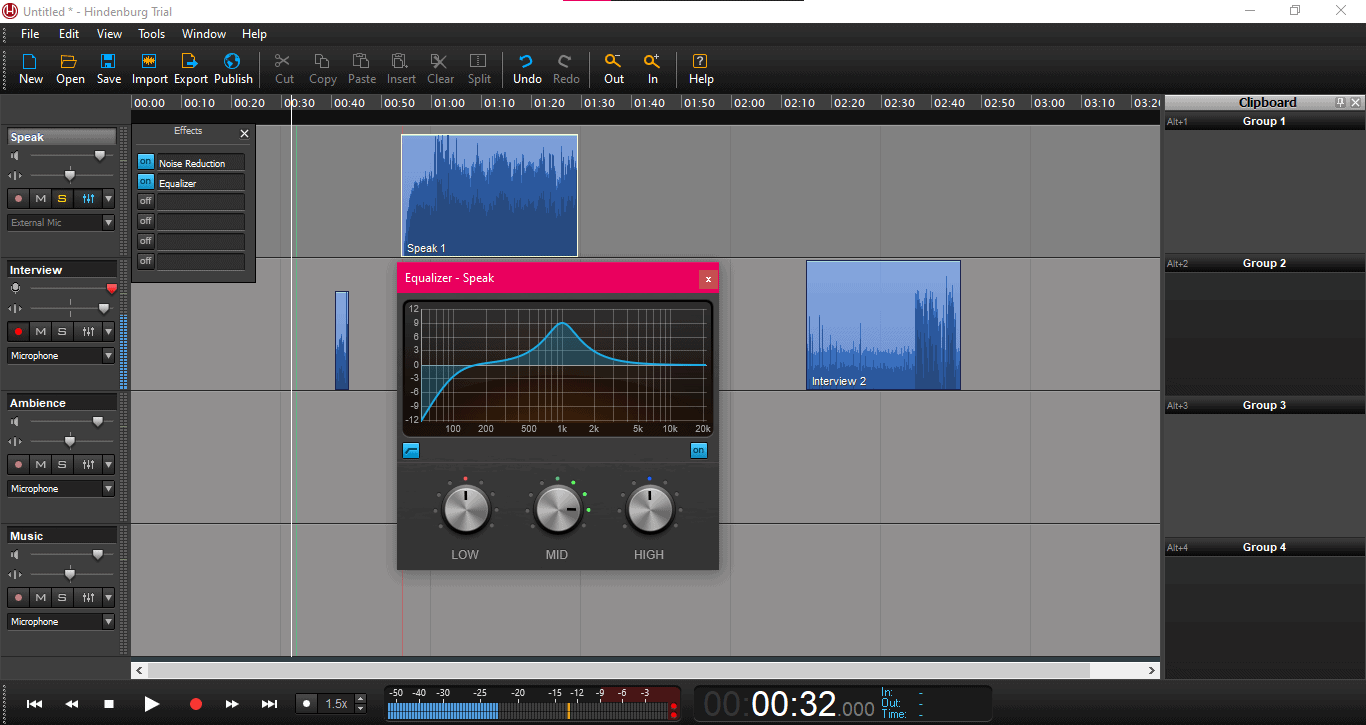
Hindenburg Pro (the rebranded Journalist Pro) is a DAW built specifically for spoken-word audio. It’s the tool a lot of public-radio producers actually use, and the focus shows: auto-leveling, voice profiling, and a clipboard-based storytelling workflow designed around interviews rather than music production.
Key features:
- Auto-leveling balances every clip to broadcast loudness targets automatically.
- Voice Profiler applies appropriate EQ and compression per speaker.
- The Clipboard/Storyboard workflow is unique – drag clips into a storyline pane, then drop them into the timeline.
- Built-in publishing to Spotify for Podcasters (formerly Anchor), Libsyn, and SoundCloud.
Price: Hindenburg Pro is $12/month or $120/year (with a perpetual license option at roughly $375). 30-day free trial.
Verdict: Based on publicly reviewed feature sets, Hindenburg’s storyboard metaphor is still the best I’ve seen for narrative interview shows. The main limitation: AI features here are conservative compared to Descript – you’ll pair it with Auphonic or Cleanvoice for automated cleanup.
5. Alitu
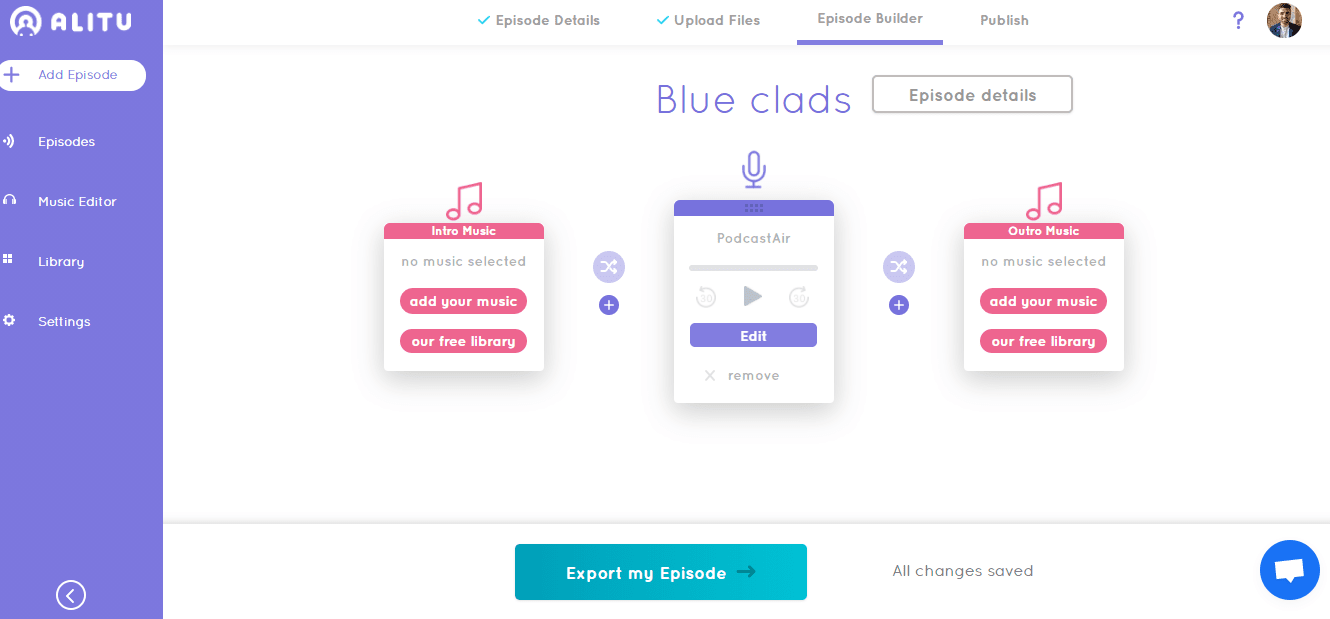
Alitu calls itself “the podcast maker,” and the positioning is accurate – it’s an end-to-end web app for solo podcasters who don’t want to learn a DAW. Record in-browser, upload existing files, and Alitu runs its automated cleanup chain (level, de-noise, volume-match) before dropping the processed audio into a drag-and-drop episode builder.
Key features:
- Auto audio cleanup – noise removal, volume balancing, loudness normalization – applied on upload.
- Drag-and-drop episode builder for intros, outros, ads, and main segments.
- In-browser remote interview recording with per-track downloads.
- Built-in publishing to hosts like Captivate, Buzzsprout, and Spotify for Podcasters.
Price: $38/month, or $380/year (yearly saves two months). 7-day free trial.
Verdict: Based on Alitu’s published pricing and feature list, it’s ideal for non-technical creators who want one subscription to replace a DAW, a cleanup tool, and an episode assembler. The catch: $38/month is steep for what’s essentially a guided workflow, and advanced users will outgrow it within a year. See our Alitu review.
6. Auphonic
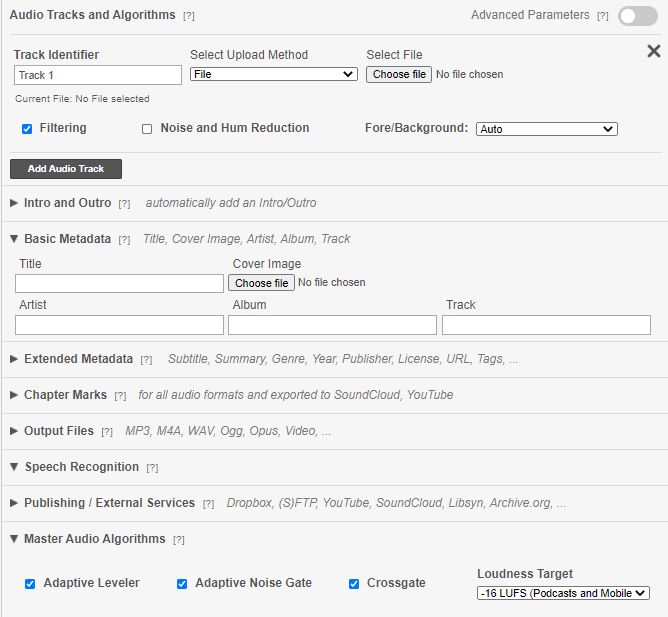
Auphonic is the AI post-production layer you bolt onto whatever DAW you already use. Upload your finished mix, and it handles intelligent leveling, loudness normalization (LUFS-compliant for Spotify/Apple targets), background-noise reduction, and AI-generated transcripts in one pass. It’s been doing this since before “AI” was the default marketing label, and the quality holds up against newer tools.
Key AI features:
- Adaptive leveler separates music and voice, levels them independently.
- Noise and reverb reduction with AI models that preserve voice character.
- Automatic loudness targeting for podcast platforms (-16 LUFS) or broadcast (-23 LUFS).
- AI transcription in 80+ languages with speaker labels and chapter markers.
Price: Free plan (2 hours/month), $11/month (9 hours), $44/month (38 hours), $89/month (90 hours). Usage-based and refreshingly transparent.
Verdict: Based on Auphonic’s published pricing and feature documentation, it’s the single best dollar-per-hour AI post layer on this list. The limitation is that it’s not a full editor – you still need a DAW or something like Descript upstream.
7. Riverside.fm
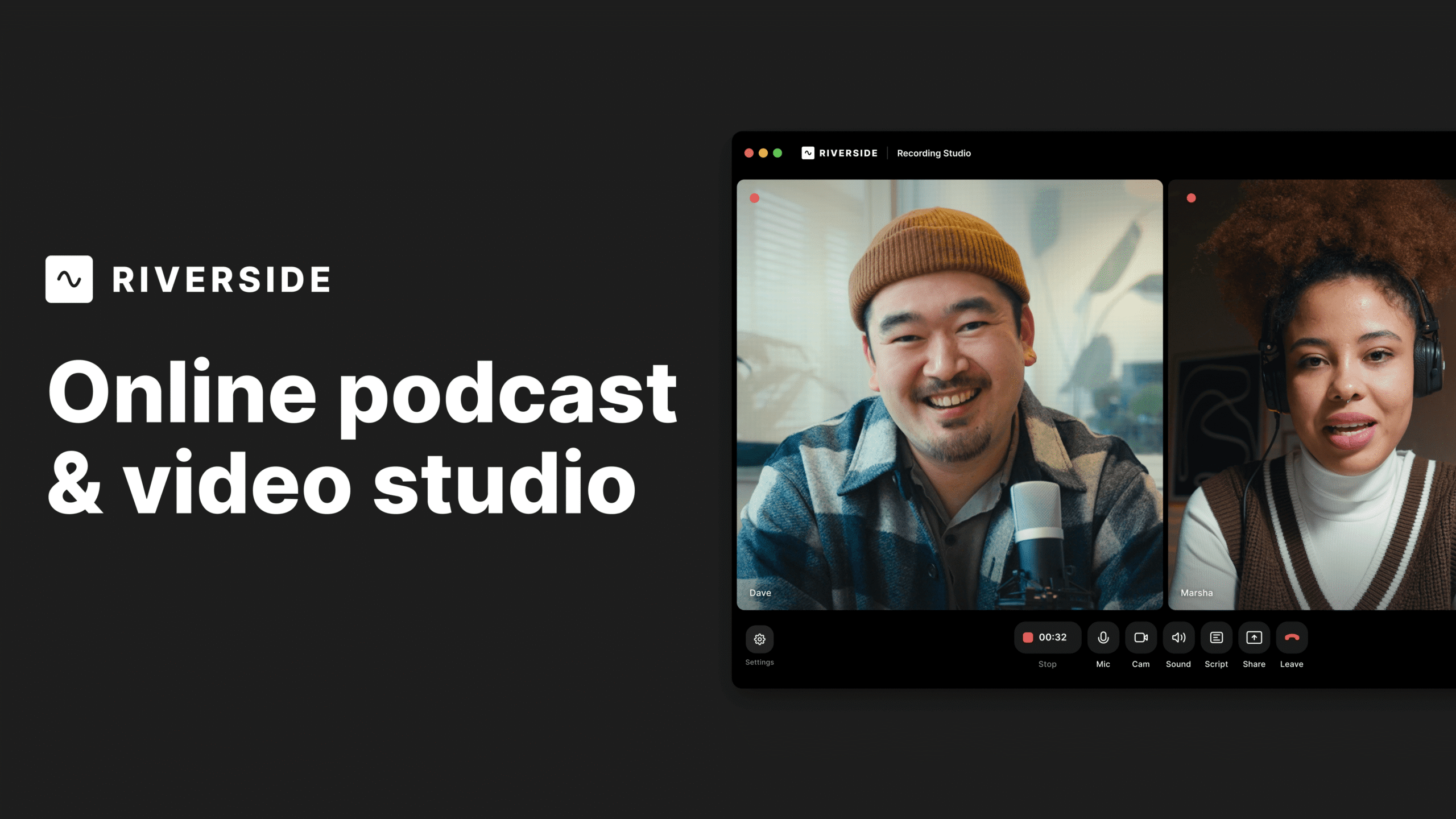
Riverside is primarily a remote-interview recorder (local tracks, up to 4K video), but the AI editing suite that’s been bolted on over the last two years makes it a serious editor in its own right. Magic Clips auto-generates short-form vertical clips for social, Magic Editor does filler-word removal and text-based cutting, and AI show notes land in your dashboard when export finishes.
Key features:
- Local high-quality recording per participant – the source audio is better than anything Zoom or Riverside’s competitors capture remotely.
- Magic Clips identifies sharable moments and reframes them for vertical video automatically.
- Text-based editor with filler-word removal.
- AI show notes, summary, and transcript included on all paid plans.
Price: Free plan (2 hours/month), Standard $15/month (5 hours, basic AI tools), Pro $24/month (15 hours, full AI suite).
Verdict: Based on public review coverage, Riverside is the right pick if you’re recording remote interviews and want the edit to happen in the same tool. The friction: the editor is still playing catch-up to Descript – for complex, narrative edits, you’ll export stems and finish elsewhere. See our Riverside breakdown.
8. Podcastle
Podcastle is an AI-first browser editor that aims to replace both your recording tool and your DAW. It handles remote recording (per-track local capture), text-based editing, AI voice cleanup, and AI voice generation from a single interface. The Magic Dust effect applies background noise removal and voice enhancement in one click.
Key AI features:
- Magic Dust – single-click voice enhancement and noise suppression.
- Revoice – AI voice generation from cloned speakers for fixing mistakes.
- Text-based editor with filler and silence removal.
- AI-generated episode titles, descriptions, and chapter markers.
Price: Free (limited), Storyteller $11.99/month (10 hours transcription), Pro $23.99/month (25 hours + advanced AI features).
Verdict: Based on Podcastle’s documentation and published pricing, it’s a compelling Descript alternative, especially at the lower price point. The weak spot I’d flag from public review feedback: the voice generation is usable but not as convincing as ElevenLabs-grade cloning – fine for short corrections, rough for whole-sentence rewrites.
9. Cleanvoice AI
Cleanvoice is the specialist – it does one thing, post-production cleanup, and it does it well. Upload a finished mix (or multitrack) and it removes filler words, mouth sounds, stutters, breathing, and long silences, then hands back a cleaned WAV or MP3. It’s the tool to reach for when Descript’s filler removal is too aggressive or you’re working inside a DAW you don’t want to leave.
Key AI features:
- Granular control over what to remove – filler words, stutters, breathing, mouth clicks – each toggleable.
- Multitrack support preserves per-speaker tracks for flexible remixing.
- Context-aware silence shortening doesn’t flatten natural pauses.
- Multilingual transcription and AI show-note generation built in.
Price: Usage-based, starting around $10/month for a few hours; enterprise plans for agencies. Free trial available.
Verdict: Based on Cleanvoice’s published feature documentation and pricing, it’s the right choice if you already have a DAW you love and just want the AI cleanup layer. The tradeoff: it’s not an editor, it’s a filter – if you want to arrange clips or record, look elsewhere. See our Cleanvoice breakdown.
10. Castmagic
Castmagic isn’t an editor in the traditional sense – it’s the AI repurposing layer that sits downstream. Upload a finished episode, and Castmagic generates timestamped show notes, a full blog post, social posts for Twitter/LinkedIn/Instagram, newsletter drafts, pullquotes, and SEO metadata in one pass. If you’re a one-person show handling both editing and marketing, it eliminates the post-export content grind.
Key AI features:
- Automatic show notes with timestamps, chapter markers, and speaker labels.
- Repurposing into blog post, Twitter thread, LinkedIn post, Instagram caption, newsletter draft – all from one upload.
- Custom prompt builder for your own repurposing templates.
- Pullquote extraction for social clips.
Price: Free plan (3 files/month), Starter $39/month (40 hours), Pro $99/month (100 hours), Business $295/month (teams, API).
Verdict: Based on Castmagic’s published pricing and feature list, it’s a smart add-on once your show grows – but it’s an expensive one to stack on top of Descript or Riverside if you’re still small.
Podcast Gear You Still Need
AI fixes a lot, but it can’t fix a terrible mic or a reverby room. The short list:
- Microphone: A dynamic mic (Shure SM7dB, Rode PodMic) rejects room noise better than a condenser. USB versions skip the audio interface.
- Audio interface: If you’re using XLR mics, a Focusrite Scarlett or Rodecaster Duo converts analog to digital cleanly.
- Headphones: Closed-back headphones (Audio-Technica ATH-M50x) prevent bleed and let you hear issues during the record, not in post.
- Podcast hosting: Buzzsprout, Captivate, and Transistor all do the job. Hosting is about analytics and RSS distribution – AI doesn’t change that job much.
Which AI Podcast Editor Should You Use?
Here’s the quick decision tree I’d use in 2026:
- Solo creator starting fresh: Descript. It replaces the DAW, the cleanup tool, and half your repurposing pipeline.
- Remote interview show: Riverside.fm for recording, then finish in Descript or Audition if the edit is complex.
- Narrative/interview producer: Hindenburg Pro for arrangement, Auphonic for post, Castmagic for repurposing.
- Budget-conscious: Audacity + Adobe Podcast Enhance Speech (both have free tiers) + Auphonic’s free plan covers more than most new shows need.
- Cleanup-only, already have a DAW: Cleanvoice AI.
Sure, the AI tools aren’t flawless – you’ll still listen through the final mix and catch the occasional weird artifact or missed edit. But “AI podcast editing” in 2026 isn’t a gimmick: the 70–80% editing time reduction these tools promise is real, and it frees you to spend your attention on the parts that still need a human – the interview, the writing, the arrangement. Pick one, ship your next episode, and iterate from there.

Written by
Ayushi Khandelwal
A former software product review writer at Elite Content Marketer, Ayushi loved learning and sharing new avenues to help creators. Besides, she’s a trained classical dancer, a sucker for R&B music, and a baker. Kafka has her heart and Søren, her mind.
View Profile →Related Articles
AI Tools & Software
Teachable Vs. Thinkific: Exhaustive Comparison
Thinkific and Teachable are consistently ranked among the best online course platforms on the first and second spots. But which one of them is better suited for your online education business requirements without breaking the bank? Let’s break down Teachable vs. Thinkific course platforms. Note: This article contains affiliate links. ... Read more
Apr 8, 2026Read more →
AI Tools & Software
Kajabi Vs. Teachable: Which Is The Better Course Platform
Kajabi and Teachable are popular online course platforms. Both have their share of pros and cons — but which one’s the best suited for your needs? Let’s break down the Kajabi vs Teachable debate in this article. Overall, I’d recommend going for Kajabi if you’re a pro-creator and need a ... Read more
Apr 8, 2026Read more →
AI Tools & Software
Best Creator Tools to Build, Monetize, and Profit
Here is our curated list of top tools you can consider as a content creator. I’ve divided them across categories for different use cases. Note: Some of these use affiliate links, so if you buy through our link, we may make a commission (at no cost to you). Thanks for ... Read more
Apr 8, 2026Read more →