Creating content is the fruit of creative labor that could occasionally become daunting. But using content creation software can streamline your workflow. They can cut down the time you put in researching, writing, editing, and designing — and enable you to craft better content.
20 Top Content Creation Software
 Written by Editorial Staff
In this article, I’ll introduce you to twenty content creation tools. They will make digital content creation easier in all formats: text, graphics, audio, and video. Let’s get started with the first tool.
Related: Best AI Blogging Tools
1. Ahrefs
Hands down the most useful SEO tool for performing keyword research, competitor analysis, and tracking search rankings is Ahrefs. It’s recommended that you check it almost every day to evaluate how your top articles are faring for their target keywords.
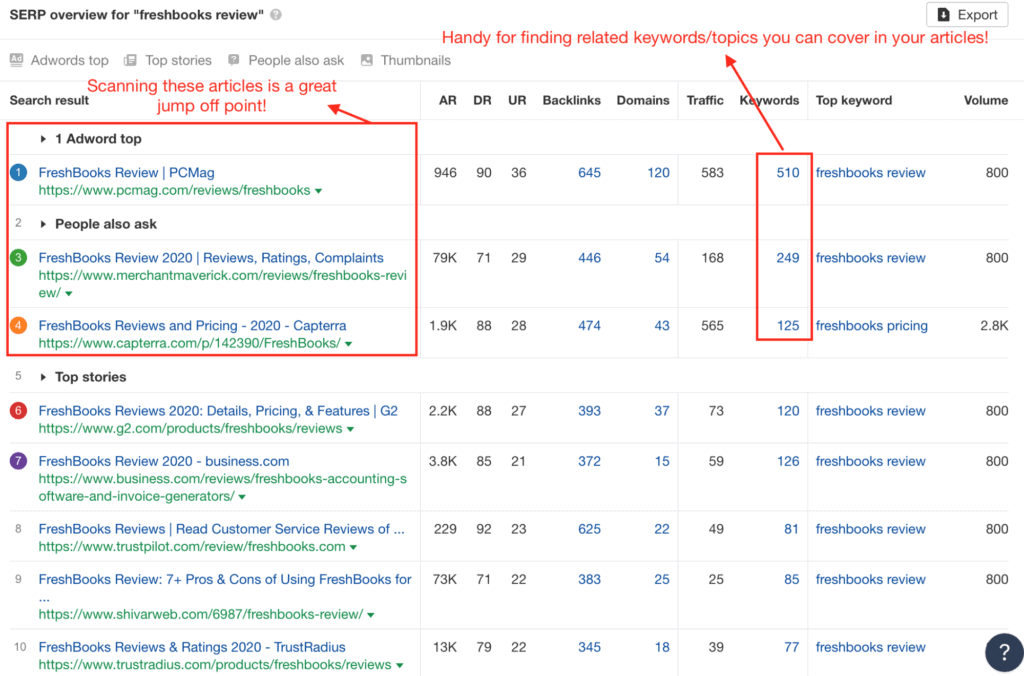
You can also use the Ahrefs SERP overview when creating outlines for your articles to:
- get an idea of how the top-ranking content on the subject is structured, its comprehensiveness, and try to find a unique angle,
- find related keywords and topics to include in my articles (taking cues from the articles currently ranking).
Here’s an example SERP for the article “Freshbooks review”
Alternative: Answer The Public
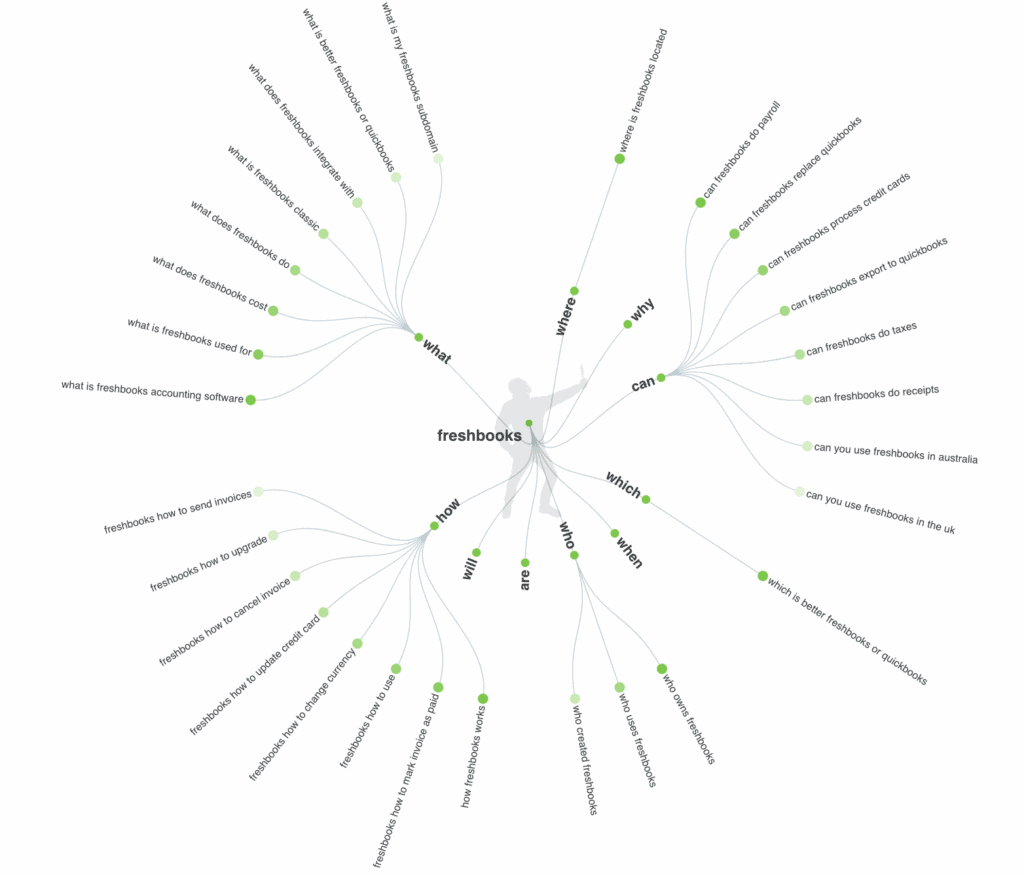
Answer The Public is another great keyword research tool to find the exact questions people are asking on a subject and get a comprehensive list of phrase variations for a seed keyword. I use it occasionally to substitute the research I did with Ahrefs.
Here’s an example of questions that pop up when I type “Freshbooks” inside the tool.
2. Google Documents
I relied on Microsoft Word about six years ago, but now my go-to writing software is Google Documents. It’s intuitive, collaborative, and makes the process of creation a breeze. You can mark comments to leave instructions for publishing, editors can make suggestions, and the like.
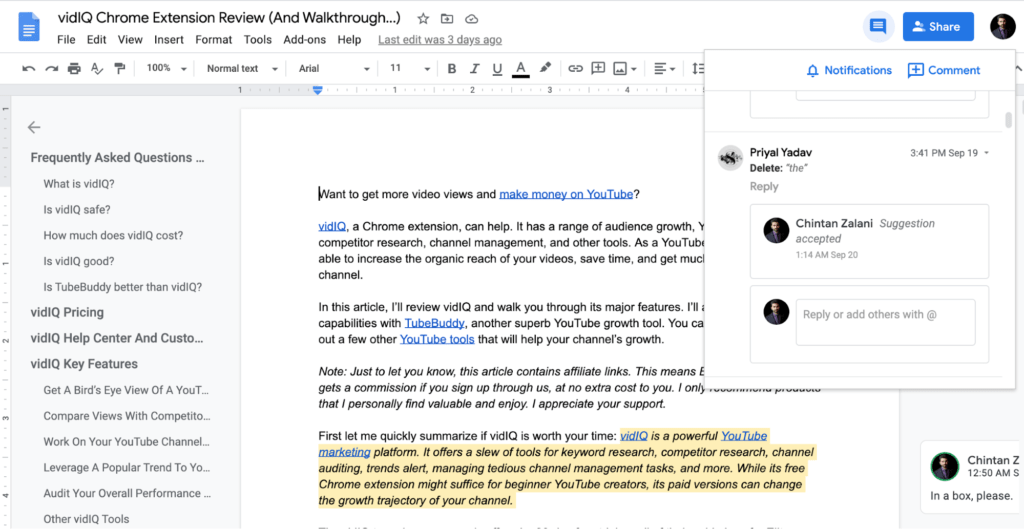
The best thing about the tool is you can insert quick screenshots and paste photos from the web without downloading them.
Top It Up With: Wordable.io
While only useful for content creators that use WordPress, HubSpot, or Medium as their CMS and Google Documents as their writing software, Wordable significantly cuts down the time to upload your articles. In a single click, you’ll find your article with properly formatted text and well-positioned images on your WordPress editor.
While the tedious process isn’t completely knocked off – you need to take care of on-page SEO – it’s still a huge time saver.
3. CoSchedule’s Headline Analyzer
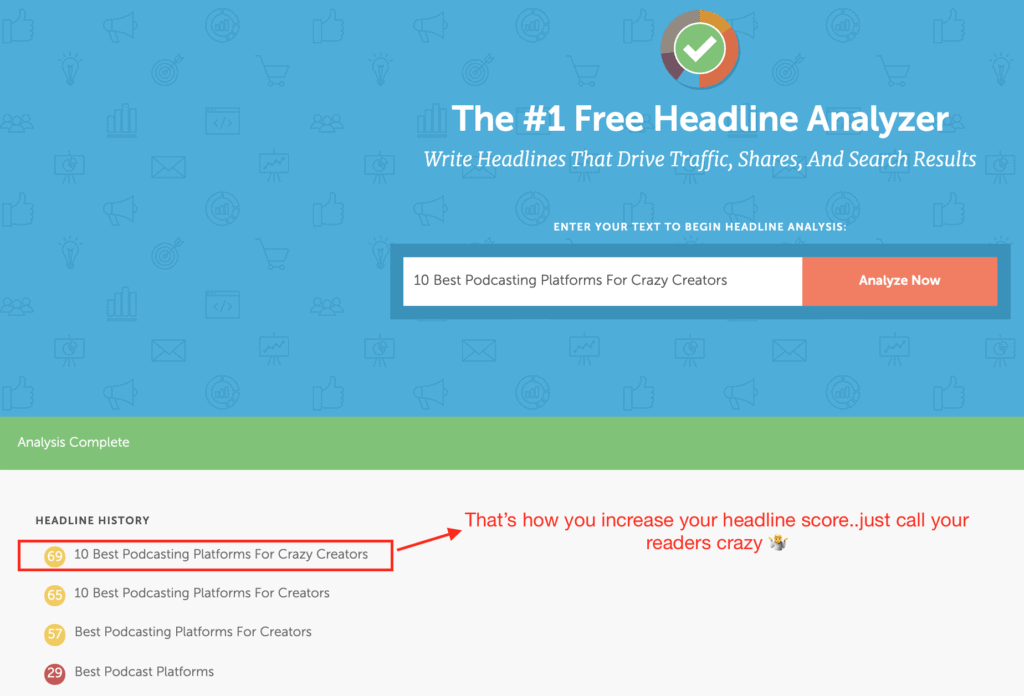
Almost none of the articles on the ECM website go without a check from CoSchedule’s headline tool. Granted writing is qualitative and sometimes the score can be misleading. But couple it with your judgment, and you’ll be able to write captivating titles every single time.
Try different headline variations and try to touch a score of 70. Or hover around 60 when the keyword for your article doesn’t allow creativity (such as “best” software review articles).
Top It Up With: Blog Ideas Generator
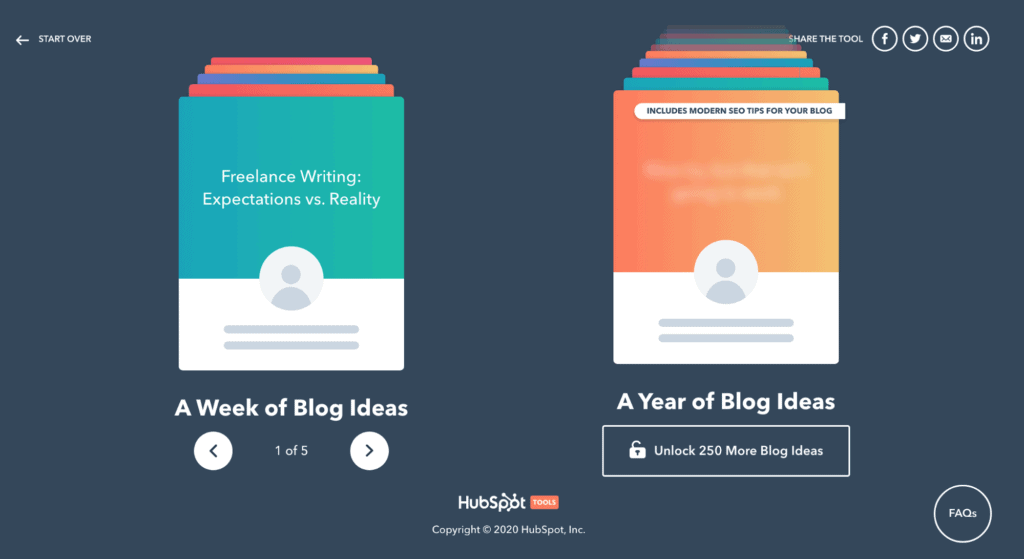
Forget headlines, if you can’t come up with new content ideas themselves, then the HubSpot Blog Ideas Generator can come in handy. You just need to describe the blog post you have in mind, in a sentence or two, and press “Get started.”

The tool returns a few titles that can get your juices flowing. If you don’t like the ideas generated, run it again with a different description to get more titles. While finding the exact title of your next blog post might not happen with this topic generator, it can lead you to creative angles on popular subjects.
4. Grammarly
Grammar mistakes in your articles can turn off readers, hamper your brand, and lead prospects to abandon your website permanently. Grammarly, while not a replacement for a human editor, offers an extra layer of defense against typos, grammar, style, and even plagiarism.
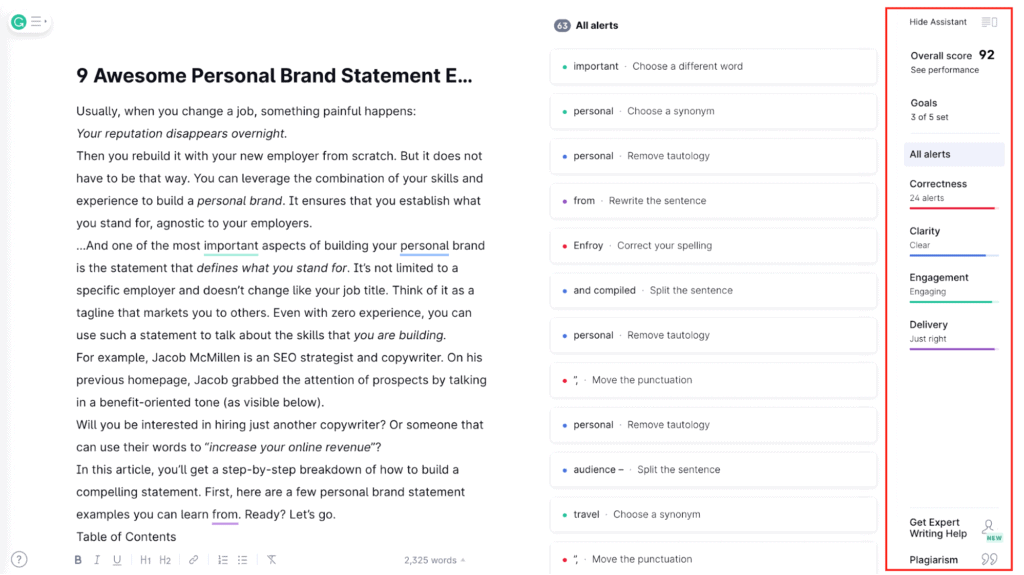
We at ECM use Grammarly Premium (now called Pro), but you can check our review to find if Pro is worth it for you.
Grammarly’s weekly reports, writing tone and goals analysis, and a mobile app for grammar-checking writing on the go are cherry on the top.
5. Elementor Pro
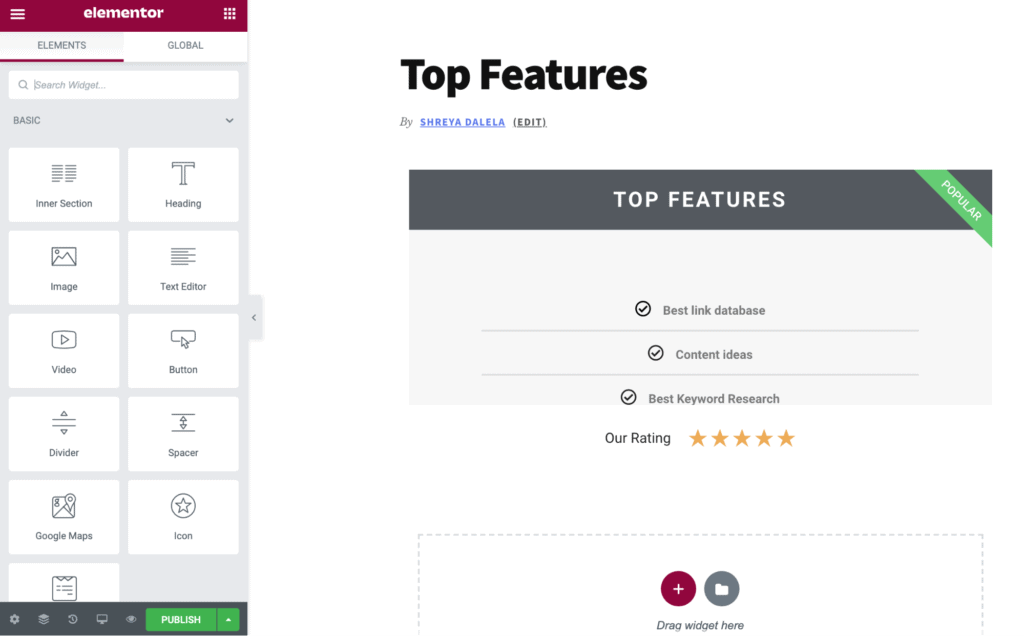
The launch of Gutenberg editor in 2018 expanded the WordPress editor’s flexibility and customization options. But Elementor Pro’s slick drag and drop page building features, widgets, and designing capabilities can substantially improve your content’s experience.
It’s even possible to create “single post templates” on the top of your WordPress theme then reuse it across your site. For instance, I created a “top features” widget below that I can now reuse in my software review articles.
Top It Up With: Shortpixel Image Optimizer
While graphics are great additions for breaking your content into readable chunks, they are heavy in size and increase the loading time of your pages. It makes for a bad user experience and can impact your search rankings.
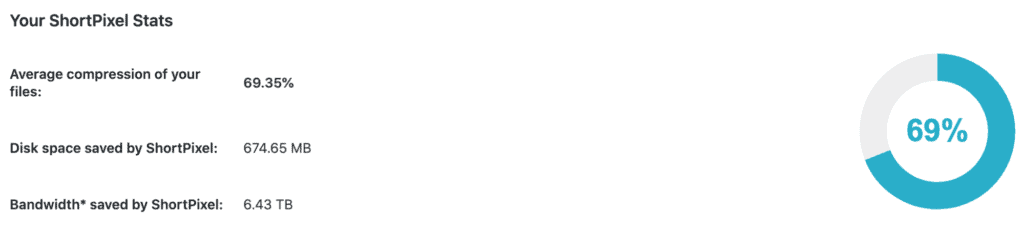
If you’re using WordPress as your content management system, the Shortpixel Image Optimizer plugin can help. It works its magic to compress your images while uploading without sacrificing their quality. Look at the disk space and bandwidth that this plugin has saved me.
6. Google Analytics
Google Analytics (GA) is a powerful tool to measure traffic on your website, top referral sources, the engagement on your top pages, and the overall content performance.
I like to keep tabs on how the website visits per day and week are faring (though it isn’t as essential). And the average engagement time that people are spending on the top articles for the ECM website and if it’s unusually low, then diagnosing why.
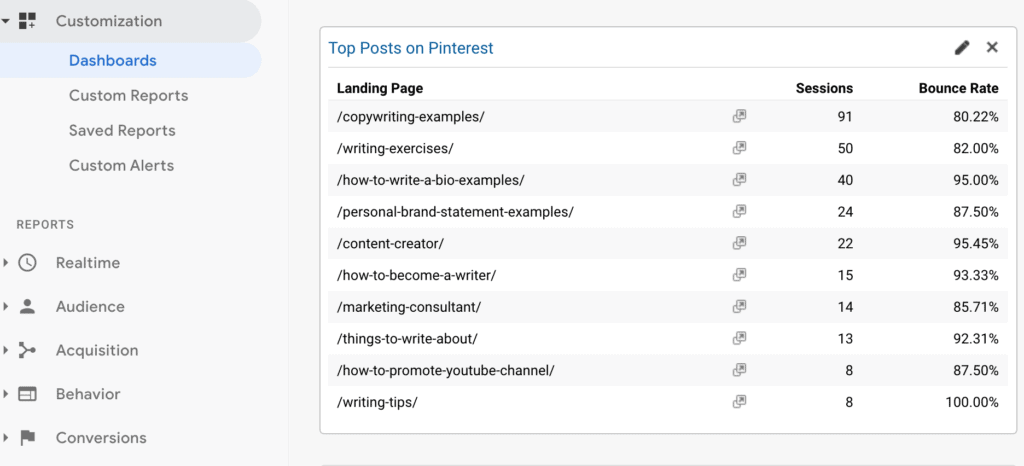
There’s so much data inside GA that you can get overwhelmed. This is why custom dashboards created by other professionals such as this Pinterest Dashboard by Kristie Hill come in handy.
7. Tubebuddy
If you’re a video content creator, then YouTube could be a source of evergreen exposure for you. TubeBuddy is a top YouTube SEO tool for dissecting the phrases to go after so that you rank in YouTube search. For instance, the keyword below has an overall “Poor” score, so I won’t consider going after it.
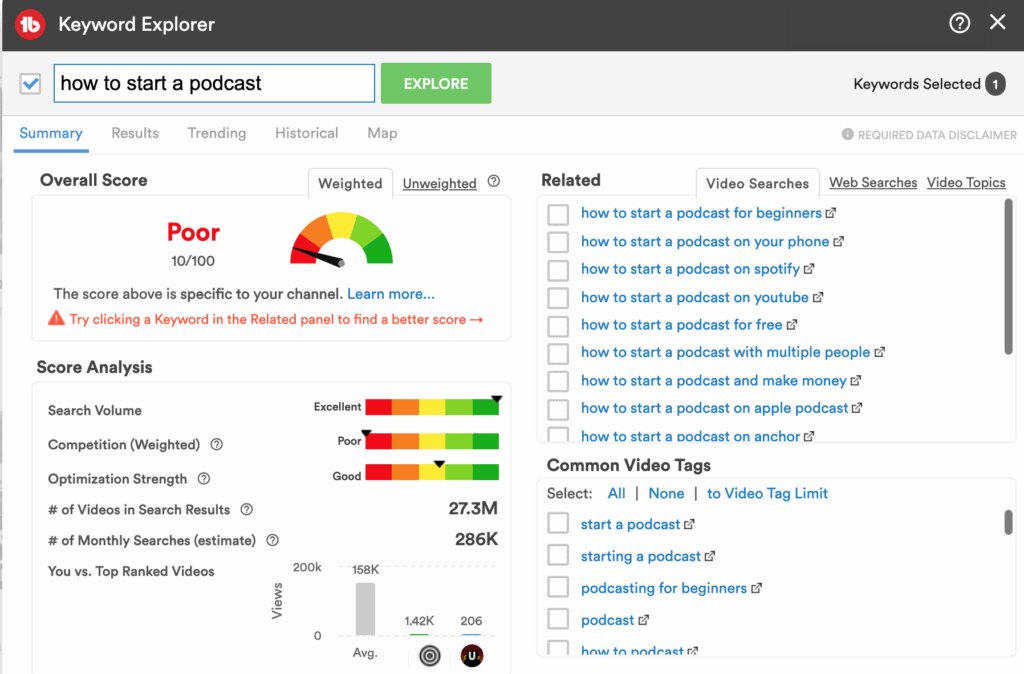
I was successful in ranking my first video because I had carefully chosen my phrase and used it in the YouTube metadata. Besides SEO, the tool has robust competitor analysis, productivity, video optimization, and other features.
Get a more detailed review of Tubebuddy here.
Alternative: vidIQ
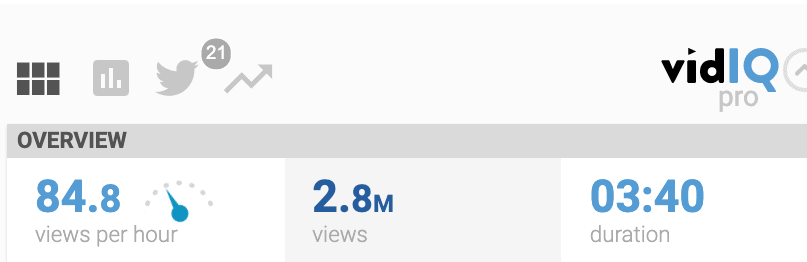
Another top YouTube tool, vidIQ has almost the same features as TubeBuddy. You can use both the tools in conjunction with YouTube. But in the vidIQ scorecard, I like the “views per hour” metric as it shows the current popularity of a video, which is more useful than lifetime views a video has accrued.
8. Canva
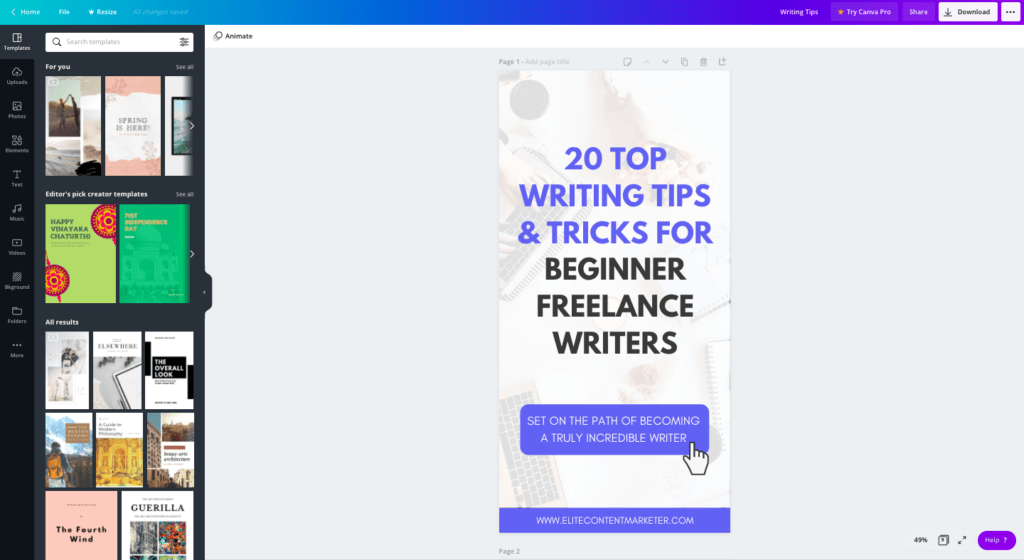
If you’re a social media content creator, Canva is a Godsend. It’s hands down the best graphic design tool with a plethora of templates for your blog posts, social media, marketing brochure, and everything else under the sun. Even without prior design experience, you’ll be able to create attractive visuals through its intuitive interface and range of free images/templates.
Alternative: Placeit
I used to recommend Stencil in this slot, but it shut its doors in July 2026. Placeit is what I reach for instead, and it works the opposite way round to Canva: instead of a blank canvas you size yourself, you pick a template built for the exact slot you’re filling — a YouTube thumbnail, a podcast cover, a product mockup — swap the text and colors, and download. You can still drop in your own logo and fonts, and unlimited downloads run $7.47 a month on the annual plan. What you give up is a browser extension — Placeit doesn’t have one, so pulling an image together mid-browse takes an extra step.
9. Tailwind
Content creators for social media can’t always stay online to post updates and interact with their audience.
But guess who can?
That’s right, a social media scheduling and analytics tool such as Tailwind. It’s great at ensuring your Pinterest account keeps sending fresh content.
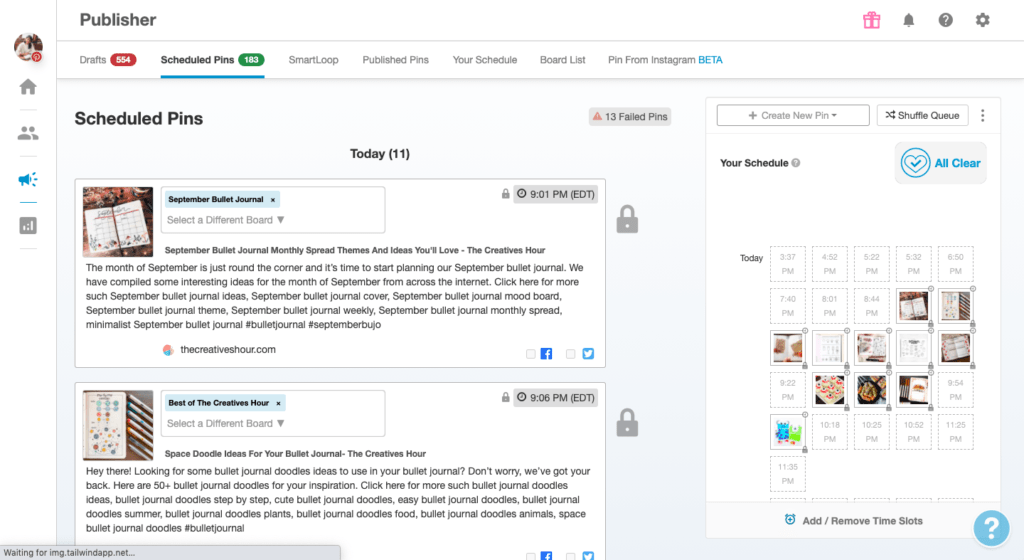
It also sends nifty weekly reports to analyze the performance of your pins and the scope of improvement. Tailwind can also handle your Instagram and Facebook, but for scheduling updates on X (Twitter) and LinkedIn you’ll need to use another tool like Buffer.
10. RescueTime
All digital content creators need to understand their internal body clocks — specifically the times of the day when they are the most productive. You can rely on RescueTime to track all your logged-in hours on the laptop and receive its comprehensive weekly email reports.
With tracked data, you can dissect the times of the day when you’re the most productive vs. distracted.
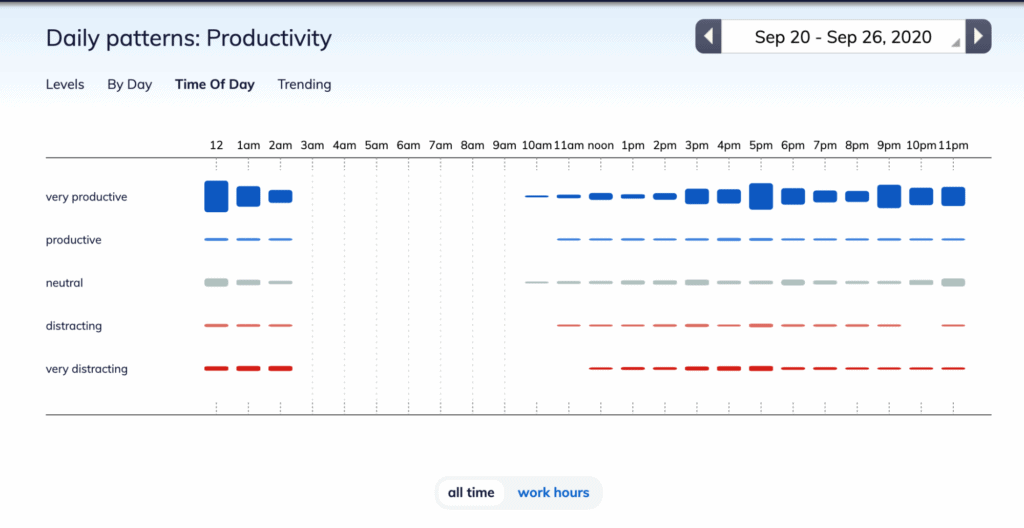
In the long-term, such insights could help build better work habits. And hey, if you tend to open distracting websites during your work hours, then Focus Sessions (a RescueTime Premium feature) can block’em for designated hours for you.
11. Camtasia
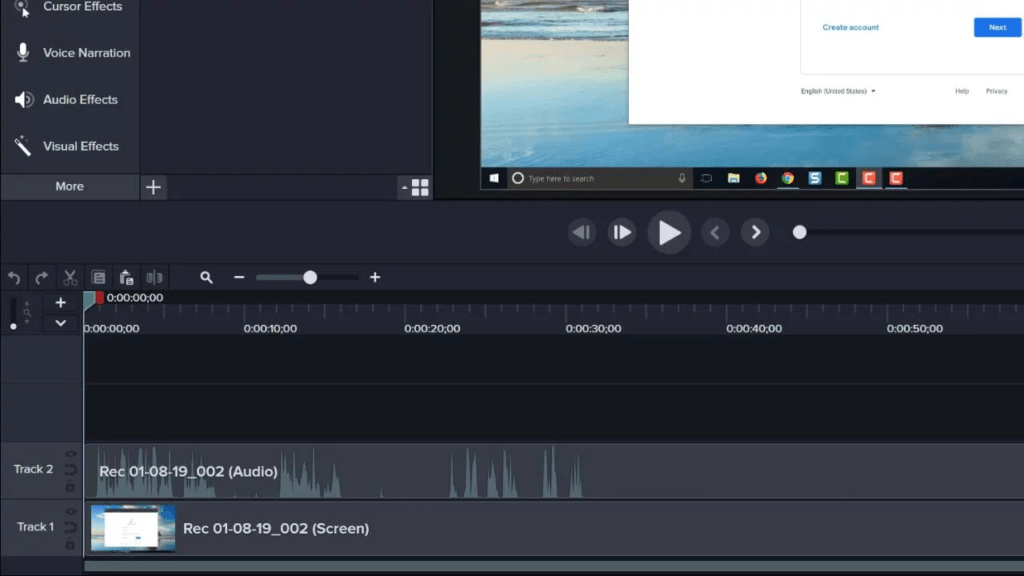
If you’re looking to create professional-grade software walkthroughs, video tutorials, or presentations, then Camtasia’s powerful suite of tools is perfect. It’s a powerful video editing software. Functionalities include the addition of filters, effects, animations, and even recording your face with your screen (to give your videos that personal touch).
Alternative: Adobe Premiere
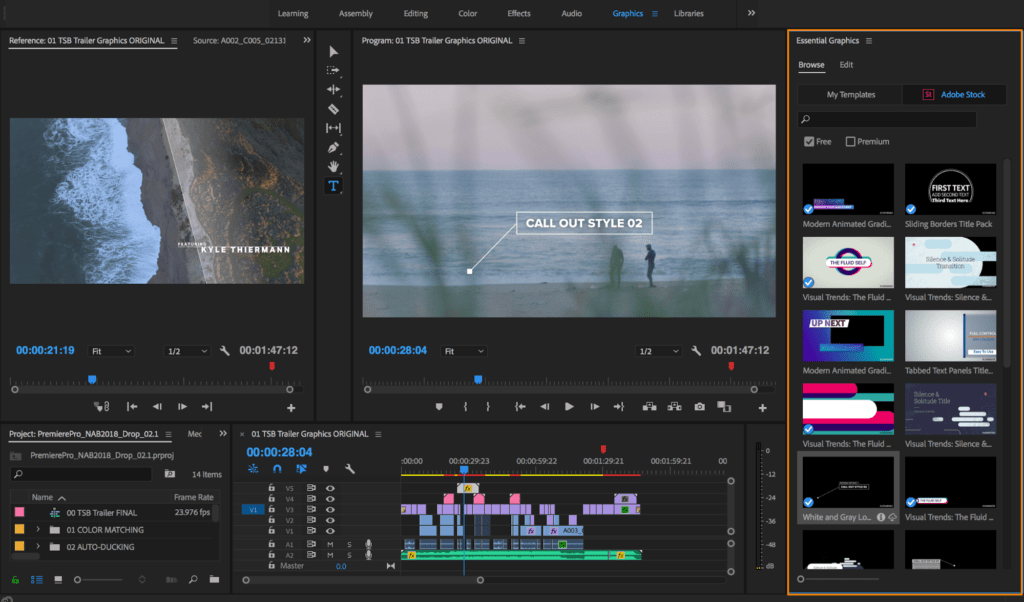
Want high-end video editing capabilities and don’t mind a steep learning curve? Look no further than Adobe Premiere Pro — it’s the global standard. Creators relying on Adobe products for other projects will feel especially at home with its user interface. Though expensive as compared to its competitors, its lighting, audio, and color tools are top-notch.
12. Screencast-O-Matic (now ScreenPal)
Recording your screen to illustrate concepts in technical articles makes for effective communication of your ideas. So whether you want to show the examples you’re sharing in a blog post, or demonstrate the steps from a how-to style tutorial, Screencast-O-Matic’s video creation tools will do the job for you.
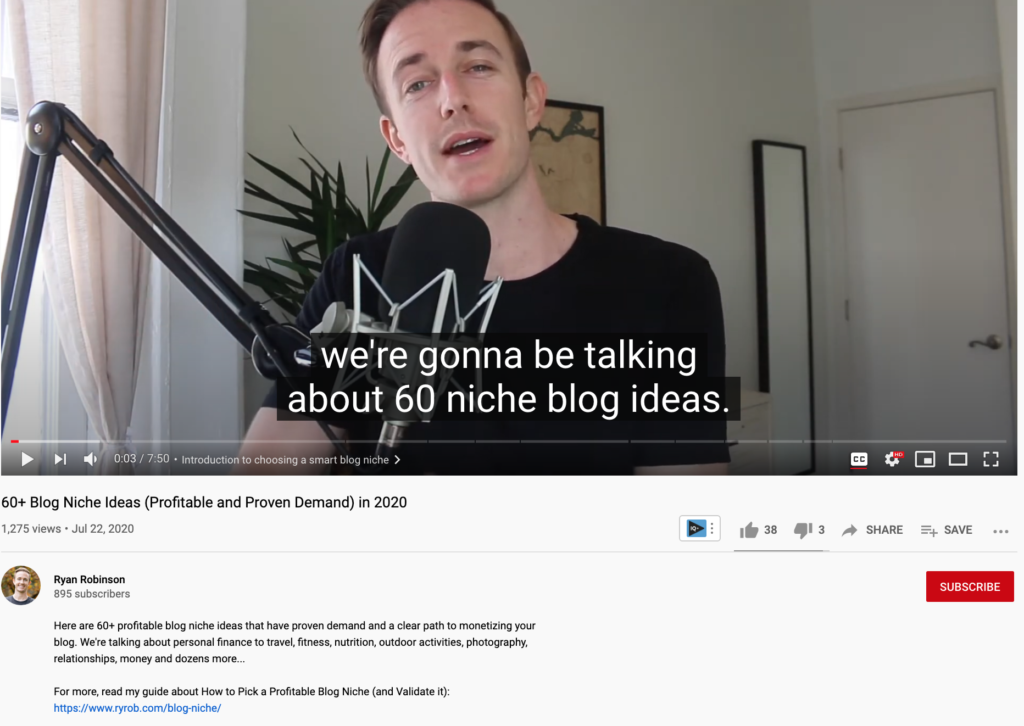
The tool is also useful in competitive niches where a long-form blog post alone might not do the job to rank in SERPs. Creating multimedia content incorporating videos, screenshots, and other media is the way to go. Take cues from Ryan Robinson, who produces such YouTube videos to go with his blog posts.
Its built-in stock library containing video, music, and images is an icing on the cake to level up your videos.
Top It Up With: Descript
Editing your videos and audio is a tedious process. Descript uses artificial intelligence to convert your audio and videos into text. In their own words, it is an audio/video editor that works like a doc. Using their fabulous AI, you can do screen recording, transcription, multitrack editing, and publishing.
13. Buzzsprout
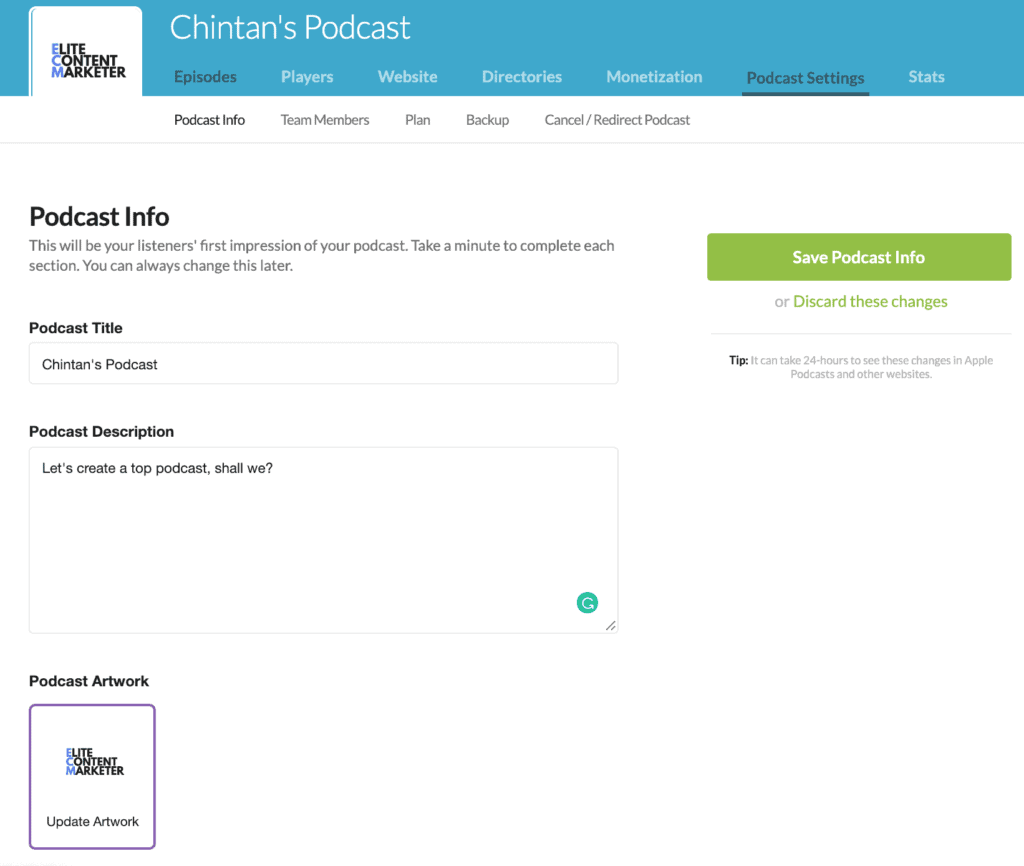
If you want to launch your own show (or create audio content), then you need a podcast host. Buzzsprout (review) is an affordable host with all the necessary podcasting features you need to get started. It makes podcasting fairly straightforward and even if you get stuck the company offers robust customer support.
Top It Up With: Alitu
Planning and recording your podcast are time-consuming steps themselves when you start a show. But audio editing each episode involves a steep learning curve — and makes podcasting even more challenging.
Alitu takes care of noise cancellation, compressing the audio, and everything else related to polishing your podcast in its drag-and-drop interface. Once edited, you can directly publish your podcast to your host and spend time promoting it.
14. WebinarJam
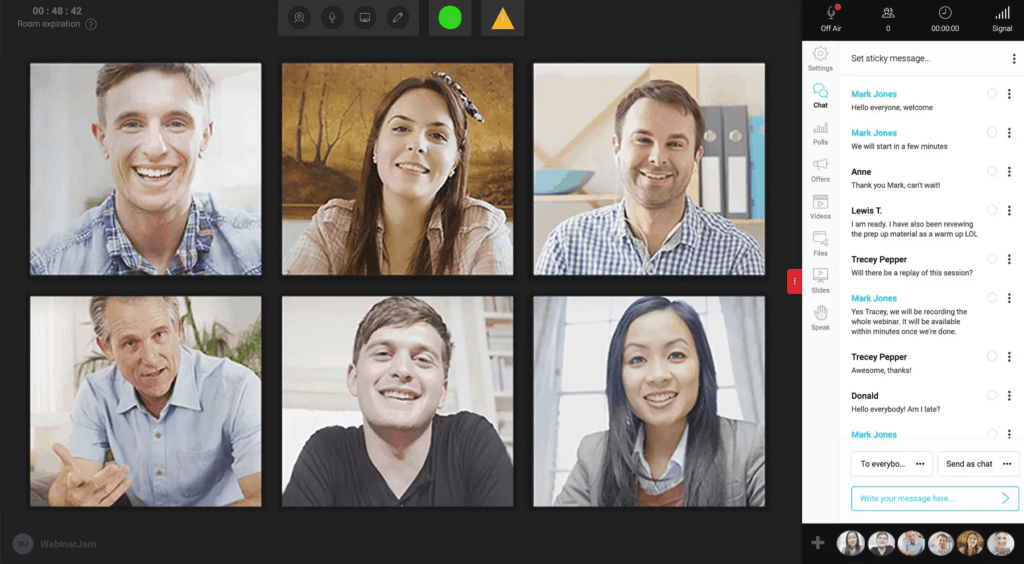
Considering doing webinars for your audience? Then get WebinarJam. It’s top-rated webinar software with a plethora of features to completely customize the webinar experience of your audience. You can engage your audience with surveys, polls, send out handouts, and even request an attendee to speak through its “Spotlight Presenter” feature.
15. Thinkific
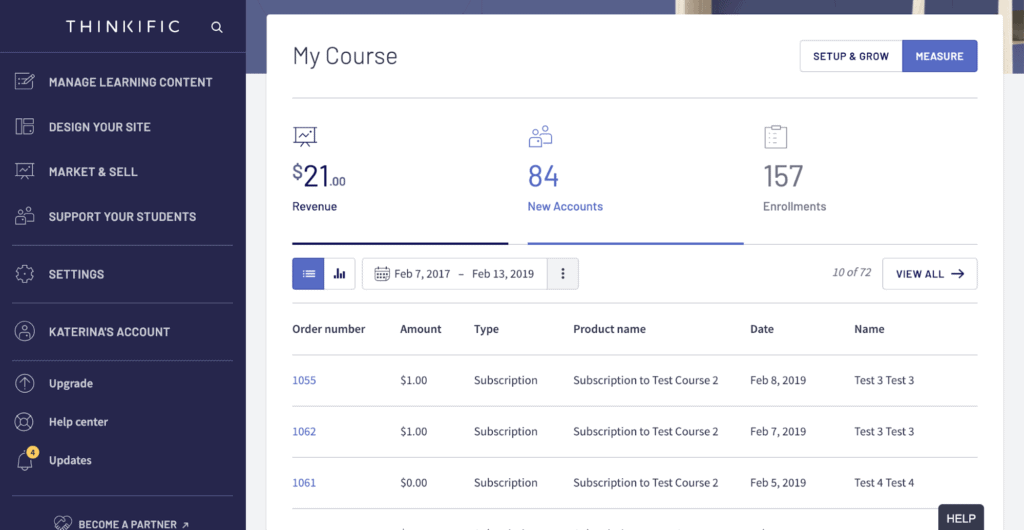
Online courses are a cash cow for content creators as you can command a premium for them. And Thinkific, with its drag and drop course builder and ready-to-use templates can serve as the ultimate online course platform to get you started.
It also has a nifty site builder for designing your course website. But the marketing and selling tools on the platform will win your heart — you can offer discounts, onboard affiliates, package your courses into memberships, and much more.
16. Unsplash
Unsplash can be your go-to resource for finding free and high-quality stock photos for blog posts and other marketing collateral (such as Ebooks). You can plug topics relevant to the subject matter of your content in its search bar to find royalty-free high-resolution photos.
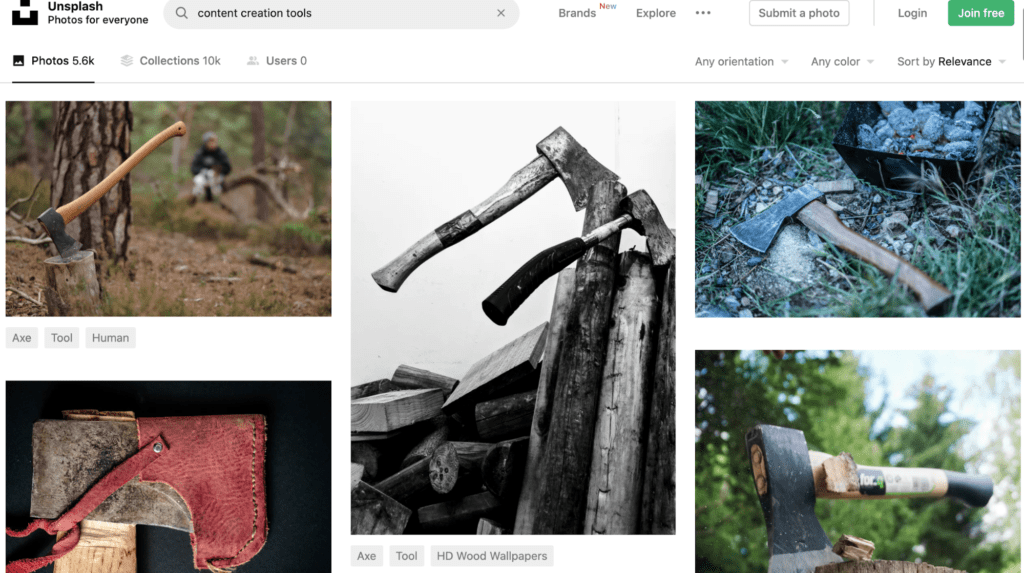
Its library contains millions of free photos, but if you search niche subjects it might not be able to find relevant photos. Try broader search phrases in such a scenario. Here’s a snippet of the photos the platform returned for the term “content creation tools.”
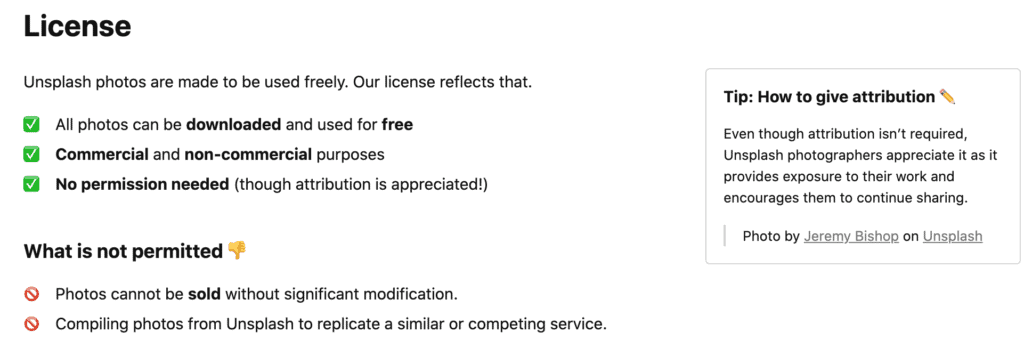
Unsplash photos are free to use and can be downloaded even for commercial purposes. But giving attribution to the photographer is appreciated.
17. PlaceIT
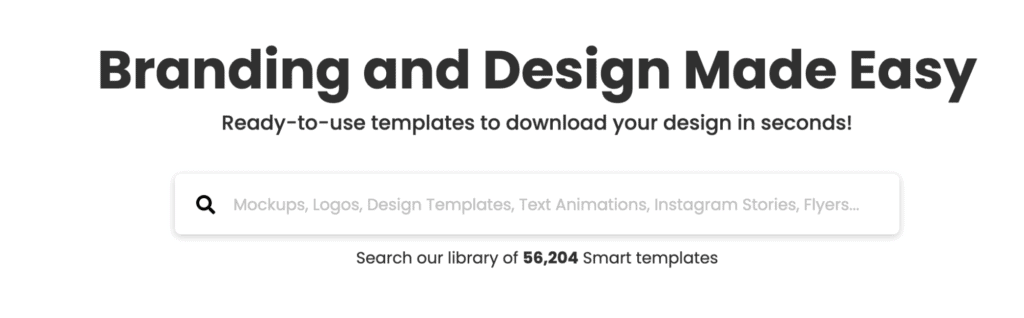
Want to add even more color to your social media content? Then PlaceIT offers even more templates.
PlaceIT with its library of over 50k templates could help you design graphics for Instagram, YouTube, Facebook, and other social media in seconds.
Top It Up With: Envato Elements
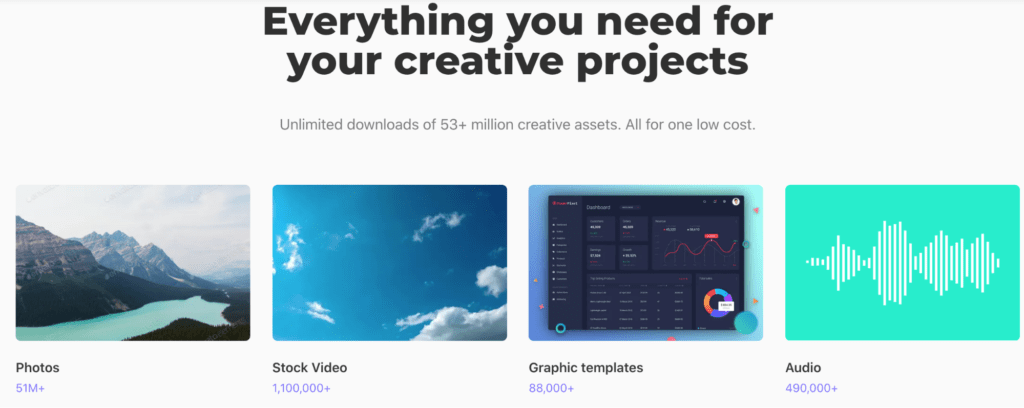
Envato Elements is more holistic in offering stock video, audio effects, and other digital media assets. You can get a lifetime license and use 30+ million creative assets with unlimited downloads.
18. Evernote
Evernote is a superb note-taking app for collating your research material for your content at a single place — whether it be audio, video, or text. You can store your ideas as voice clips, text notes, and take screenshots. Organizing your saved material is easy using notebooks and tags.
It’s available as a browser extension, mobile app, and desktop application — so you can save your ideas and even write complete articles inside it on the go. On paid plans, any changes you make also sync automatically across different versions.
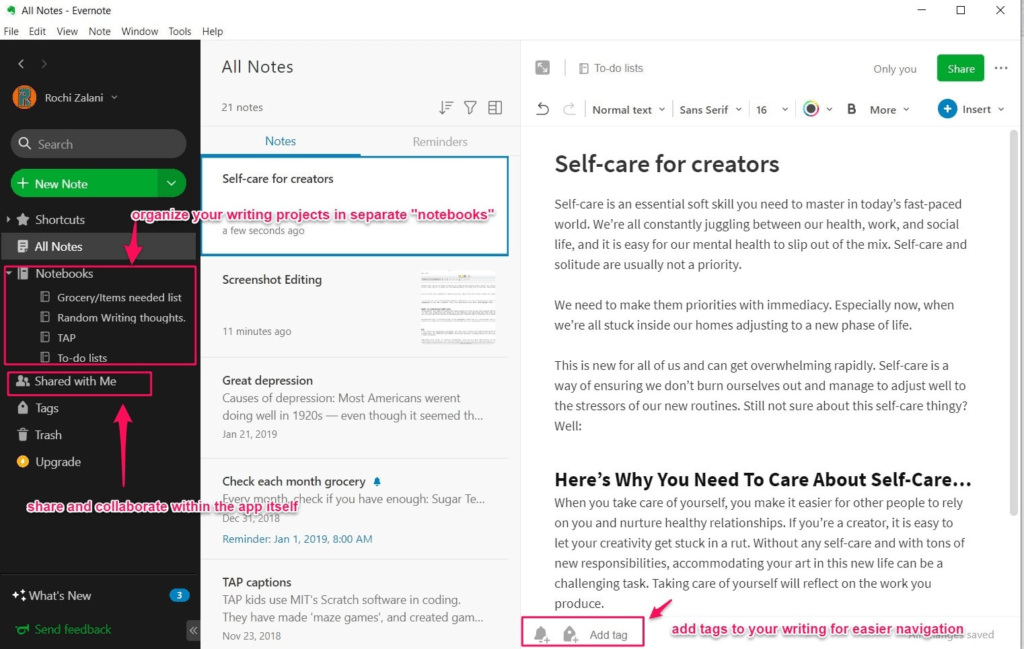
You can use it as a repository of interesting articles to read, as a to-do list app, as a content creation plan notepad, or jot down research for a piece you’re working on.
19. Fiverr
If none of the above content software does your design, transcription, and other small jobs, then freelance services at Fiverr would be perfect. You can hire professionals to draw portraits, design logos, conduct market research, and even get jokes written for your next marketing campaigns. The gigs at Fiverr could get really creative.
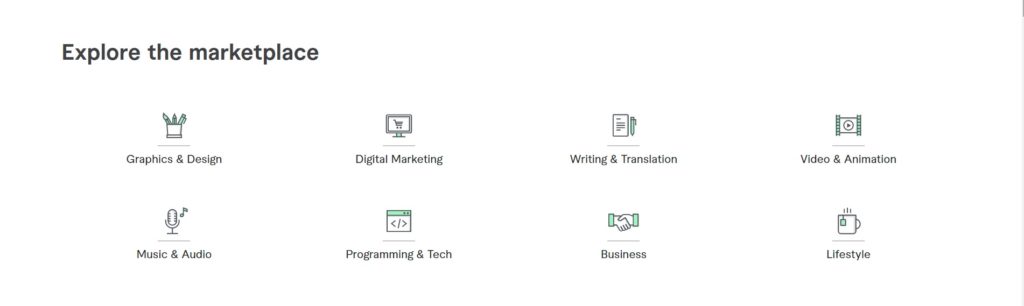
Fiverr is a great place to outsource small tasks that can boost your content creation efforts. And if you get stuck in a bigger content project, you can run a few gigs on the platform to get your juices flowing.
20. Trello
While content creation requires exercising your creativity muscles, building repeatable processes can cut downtime from your publishing workflow. It also ensures you and your team creates high-quality content every time that matches your brand’s personality.
Project management software Trello is handy because your whole team (editor, content manager, designer, SEO, and anyone else) can collaborate using it to put together content. You can discuss specifics of tasks, attach deadlines to tasks, add quality checks, and more.
Here’s a screenshot of ECM’s editorial board where we try to run every article through five stages by using lists. Starting from the first “Tasks” list, an article runs through various lists and is pushed to a “Done” list finally.
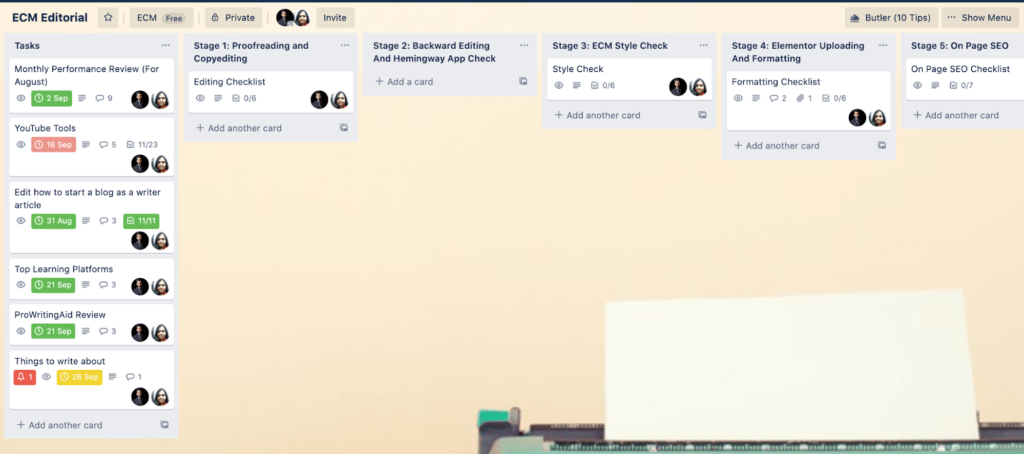
We also add checklists to each Trello card which helps editors ensure style consistency. But the last tool on our list does this job best.
Top It Up With: Process Street
Checklists and templates are the go-to ways to build processes and smoothen your content operations. And Process Street is useful for managing your recurring content production, optimization, and other workflows.
You can create templates for the series of steps in your content creation process for different formats. Then tick off individual items from your checklist, invite team members to assign individual tasks and collaborate with them, and add due dates to ensure you meet deadlines.
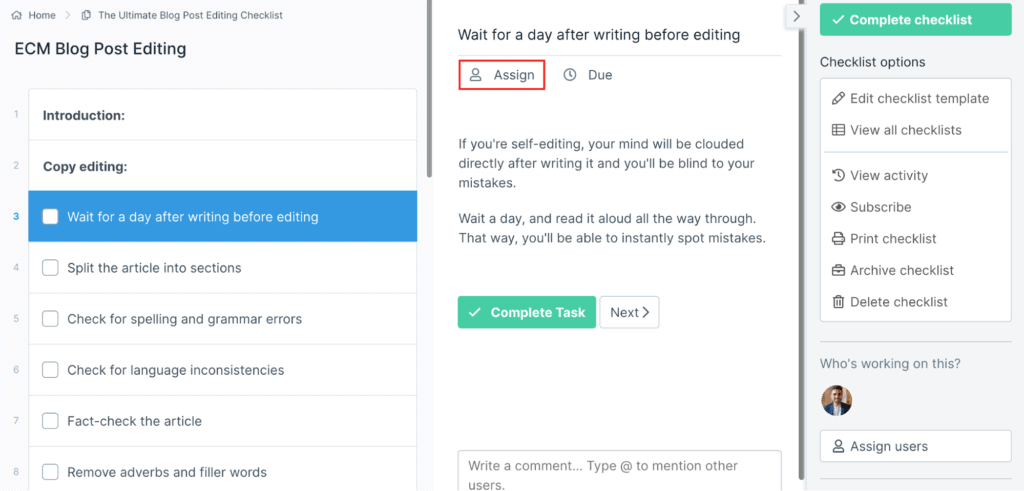
While Trello is useful to glance at your whole project in one glance, Process Street can be used to enforce quality control through templates.
Final Thoughts
Content creation is both an art and a science. But content is a marketing channel for businesses. So finding the right tools — that simplify the workflow and cut down the time required to complete tasks or ones that improve the quality of your content — are indispensable.
I’m sure you’re already relying on some content software. Hope that you found a few new and valuable tools in this article that you’ll now integrate into your workflow.
Written by
Editorial Staff
The Editorial Staff represents the writers, editors, and content creators who have worked (or work) at Elite Content Marketer. The experimenter-in-chief behind the team is Chintan Zalani, who has close to a decade of experience trying to make sense of the content marketing industry. Started in 2019, Elite Content Marketer is on a mission to help creators build sustainable businesses.
Related Articles
AI Tools & Software
Best AI Visibility Tools 2026: 16 With API or MCP
16 AI visibility tools with an API or MCP server, compared on entry price, engines tracked, prompts and cost per prompt. Prices checked on each vendor’s site.
Sep 28, 2026Read more →

AI Tools & Software
Best Lifetime AI Software Deals 2026
The AI lifetime deals worth buying on AppSumo, StackSocial and direct from vendors: 21 tools, most of which an AI assistant can drive through an MCP server or API, with prices, ratings and which ones to skip.
Sep 3, 2026Read more →

AI Tools & Software
Teachable Vs. Thinkific: Exhaustive Comparison
Thinkific and Teachable are consistently ranked among the best online course platforms. But which one of them is better suited for your online education business requirements without breaking the bank? Let’s break down Teachable vs. Thinkific course platforms. Note: This article contains affiliate links. ... Read more
Apr 8, 2026Read more →