Blogging in 2026 doesn’t look the way it did five years ago. AI now handles the grunt work — outlining, first drafts, editing passes, repurposing into social posts — while the writer’s job has shifted toward strategy, lived experience, and quality control. Google’s AI Overviews and ChatGPT search also rewrote what ranks. Thin listicles get flattened. Sharp, opinionated, experience-backed pieces get cited and compound.
Best AI Blogging Tools 2026: The Stack That Actually Earns Its Keep
That changed the toolkit. Some staples still earn their keep (WordPress, Ahrefs, Canva, Grammarly). Others got eclipsed by AI-native alternatives. And a new layer sits underneath almost every serious blogger’s workflow now: foundation models like ChatGPT and Claude, running from idea to published post.
Here’s the blogging stack I’d recommend for 2026, organized by the job it does. Every tool entry includes current pricing, what AI features it has added, and where it fits.
Blogging Tools For Writing Compelling Posts
When you’re just getting started, you might wonder where it is that you should begin writing. If you think about building a website, there are too many tools available in the market – how do you decide which one is the best for blogging?
Here are some of the top blogging tools for writing:
WordPress.com
WordPress is one of the most powerful OS platforms on the web.
There are millions of plugins that you can use to customize your platform as per your requirements. For writers, WordPress is the go-to platform for blogging and for creating their websites. It is a really simple to use tool with a lot of flexibility and power with respect to its functionalities.
It is customizable as per your needs and you really get a lot of recourse in terms of the user experience that you want to provide to your readers. It powers roughly 43% of all websites on the web in 2026. I’ve built my site on it and still recommend it over every hosted-CMS alternative.
AI features (2026): The Gutenberg block editor now includes an AI Assistant (via the Jetpack AI Assistant plugin) that can draft, rewrite, and translate content directly in the editor. A one-click AI image generator is also available inside the block inserter. WordPress.com Premium starts at $8/mo (billed annually); self-hosted WordPress.org remains free.
The honest knock: WordPress still carries real maintenance tax — plugin updates, security patches, occasional version breakage. If you don’t want to care about any of that, start on Medium or a hosted platform instead.
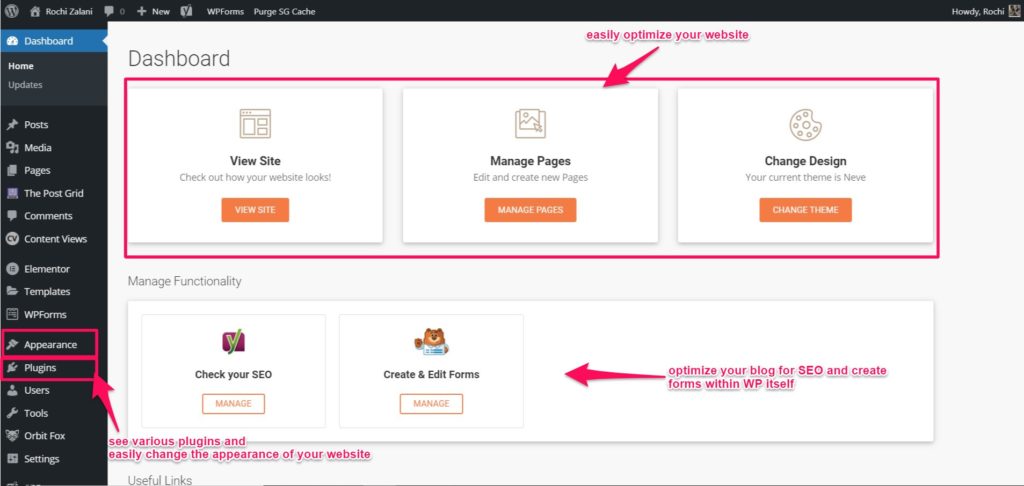
Please note that WordPress.org, which offers free blog creation, is different from WordPress.com. The latter is a free OS platform that comes installed with hosts like WPEngine and WP X. In this context, we are talking about WPEngine.
Medium
Medium is a great platform to reach out to a large number of readers.
It is highly recommended by Smart Blogger’s John Morrow who suggests that you start your blogging journey with Medium. The cool thing about Medium is that it comes with a developed base of readers who are hungry for high-quality writing. So, it is better to start out on a platform with a developed audience than to start your own website with zero audiences.
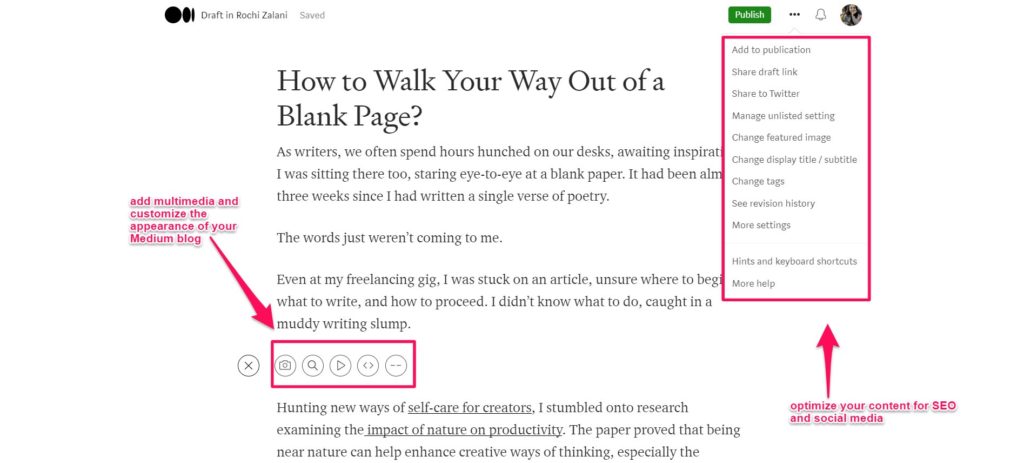
You can still create your own email lists and once you garner a dedicated audience, you can move on to your own website. Even if you have your own website, you can still use Medium as a platform to repurpose your existing content and reach out to new audiences.
Overall, it’s a decent platform to gather new readership and expand brand awareness. It doubles as a marketing channel beyond SEO.
AI features (2026): Medium doesn’t offer AI writing tools inside the editor, but in 2024 Medium updated its rules to allow AI-assisted writing as long as it’s clearly disclosed. Their Boost curation program also now de-prioritizes fully AI-generated content. Membership for writers is $5/mo or $50/year; the Partner Program pays based on member reading time.
Worth knowing: Medium traffic is almost entirely internal — you don’t own the audience, the email list, or the SEO equity. Fine as a secondary channel, risky as your primary.
Google Documents
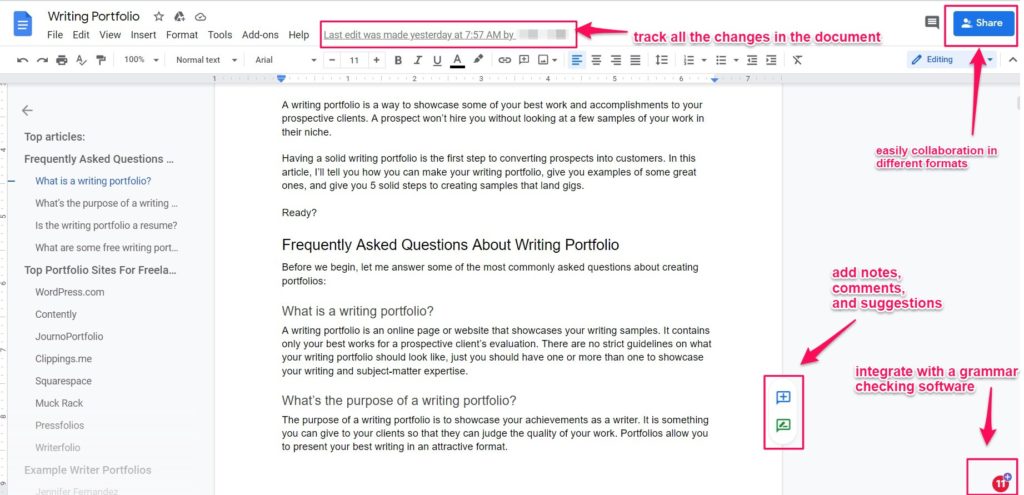
Google Docs is still the cleanest collaborative draft environment. I write first drafts here without distractions, then move to WordPress. Heading styles transfer cleanly into WP.
AI features (2026): Gemini is now embedded directly in Docs via the “Help me write” side panel — summarize, expand, rewrite, generate outlines from a prompt. It’s included with Google Workspace Business Standard ($14/user/mo) and higher, and in Google One AI Premium ($19.99/mo). The free tier of Docs now also surfaces basic Smart Compose and Smart Reply suggestions.
If you need more distraction-free writing apps, check the best ones here.
HubSpot Blog Editor
HubSpot’s Blog Editor allows you to write, edit, and optimize your content with ease. The blog editor is simple to use and formatting according to your requirements is also easy. The content is already optimized for mobile and other devices.
You can also collaborate with other authors or editors and add feedback on the document itself. It also helps you analyze how your blog post is performing, share it on social media, email it to subscribers, and promote your content.
AI features (2026): HubSpot’s Breeze AI (formerly Content Assistant) is now baked into the blog editor — generate blog post drafts from a prompt, rewrite sections, generate meta descriptions, and create matching social copy. It’s part of the Marketing Hub tiers; the free CMS tier includes limited blog hosting, and Marketing Hub Starter starts at $20/mo. See our HubSpot review for the full breakdown.
The catch: HubSpot locks most useful AI generation behind Marketing Hub Professional ($890/mo) — a real stretch for solo bloggers. Starter is fine for light blogging, not heavy content operations.
Studiopress
Having a modern, professional-looking website can change the perceived value of your content, and form positive associations with your brand. That’s why a premium StudioPress WordPress theme, based on the powerful and responsive design framework, Genesis, could be a cool addition to your blogging toolstack.
It also helps that these themes tend to be cleanly coded, which means faster loading times and better Core Web Vitals. StudioPress is now owned by WP Engine and comes bundled with all WP Engine plans, so if you’re hosting there you already have it.
AI angle (2026): StudioPress/Genesis itself hasn’t added AI features — this is still a pure theme framework. If you want AI-generated themes or block designs, the WordPress.com built-in Pattern Library and block variations go further.
Cream Of The Crop SEO Tools
SEO is one of the easiest ways to ensure that your content ranks on Google and thus widen your blog’s reach. SEO can be a tough one to crack, but there are tools that can help tremendously:
Ahrefs
The best SEO tool by a mile right now is Ahrefs. I simply love its ability to perform research about a website’s ranking keywords, current backlinks, organic traffic, the difficulty in ranking for a keyword, and more.
With Content Gap, you can dissect the keywords your competitors are ranking for and you aren’t. With Link Intersect, you’ll find opportunities for websites linking to a competitor’s website but not you.

It also has a Content Explorer that surfaces popular and trending content across the web.
AI features (2026): Ahrefs added AI Overview tracking (so you can see which of your pages are cited in Google’s AI Overviews), AI Content Helper for SERP-aligned writing suggestions, and a domain-level AI Content Grader. Pricing: Lite $129/mo, Standard $249/mo, Advanced $449/mo, Enterprise $1,499/mo. See our Ahrefs review for the full picture.
Honest take: Ahrefs is still the best general-purpose SEO tool, but it’s the priciest it’s ever been. For solo bloggers, the Lite plan is doable but limited to one project; most will want Standard.
SEMRush
SEMRush helps you find and fix your SEO issues and tracks your daily ranks for the blog post keywords. The domain analytics can help you see changes in the traffic metrics on your website and also witness your domain’s authority score (and compare it with your competitor’s domain).
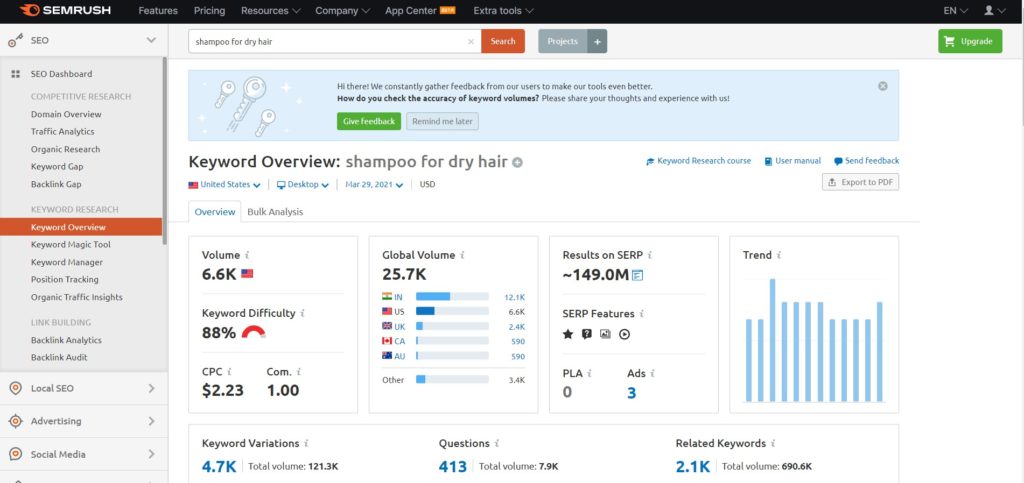
This tool also creates clean PDF reports of your website’s tracked positions on Google. Organizing different keywords is easy, and the on-page SEO checker gives you actionable recommendations to push rankings.
AI features (2026): Semrush’s ContentShake AI drafts SEO-optimized blog posts from a keyword, the SEO Writing Assistant scores drafts in real time, and Copilot now suggests action items across your campaigns. Pricing: Pro $139.95/mo, Guru $249.95/mo, Business $499.95/mo. See our Semrush breakdown.
The honest knock: Semrush’s interface still feels sprawling — dozens of tools, some redundant, many you’ll never use. Ahrefs is tighter; Semrush is broader.
Ubersuggest
If you’re short of budget right now, then a free tool like Ubersuggest might do your SEO tasks. It lets you analyze any keyword, competitor website, and find out backlinks to a site. You can also reverse engineer your competitor’s SEO, content marketing, and social media strategy.
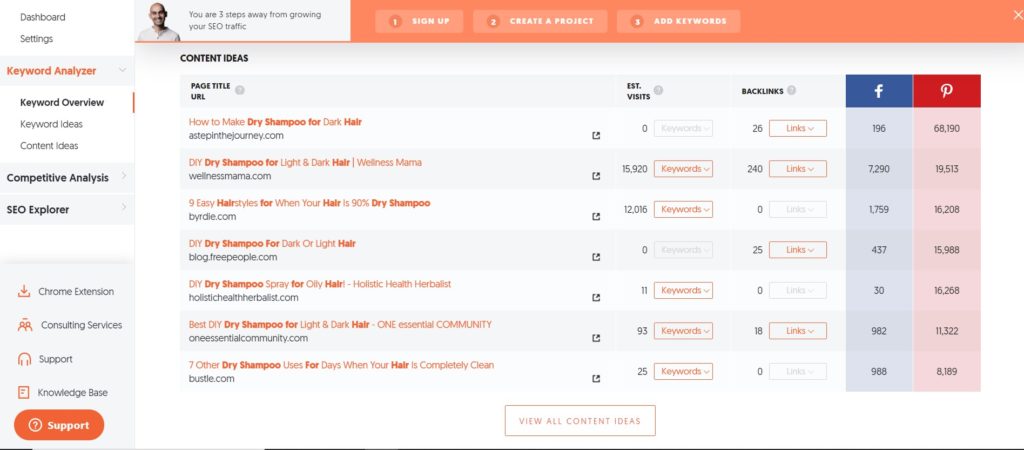
Its data is still noticeably less accurate than Ahrefs or Semrush, so don’t base big decisions on an Ubersuggest report alone.
AI features (2026): Ubersuggest added an AI Writer for blog drafts and an AI Chat for content strategy questions. Lifetime plans (Individual $290, Business $490, Enterprise $990) still exist and remain the best-value deal for budget-conscious bloggers. Monthly plans start at $29/mo.
Answer The Public
Answer The Public is a great market research tool for writers.
The tool will tell you any questions that people have been asking on Google related to the keyword you plug into the tool. It will even segregate the various keywords alphabetically.
Let’s say you search for “Shampoo for Dry Hair”, then it’ll revert back with the long trail of keywords that people have been using on Google. Like mentioned earlier, it’ll also provide you with specific questions that people have been asking that relate to your keyword. So for “Shampoo for Dry Hair”, it’ll show you questions like “Which Shampoo can help me get rid of dry hair?”
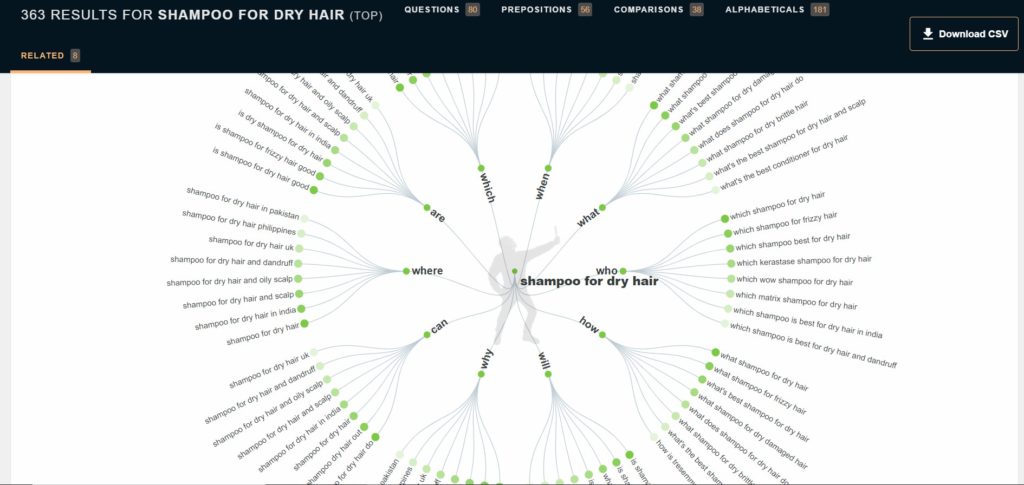
You can then address these pain points by answering these questions and meeting reader expectations.
AI features (2026): AnswerThePublic added AI Insights — each question cluster is now summarized with AI-generated context explaining why people are asking. Free plan gives 3 daily searches; Individual starts at $9/mo; Pro $99/mo for full access and alerts.
Hubspot Blog Idea Generator
Type up to 5 nouns that your blog represents and see an auto-generated list of 5 blog ideas. HubSpot’s Blog Idea Generator is great when you want to convert a keyword into an actionable headline. It can also help you get started on what kind of content to write. In the demo below, I typed “shampoo” and four other related keywords to get a ton of blog post ideas:
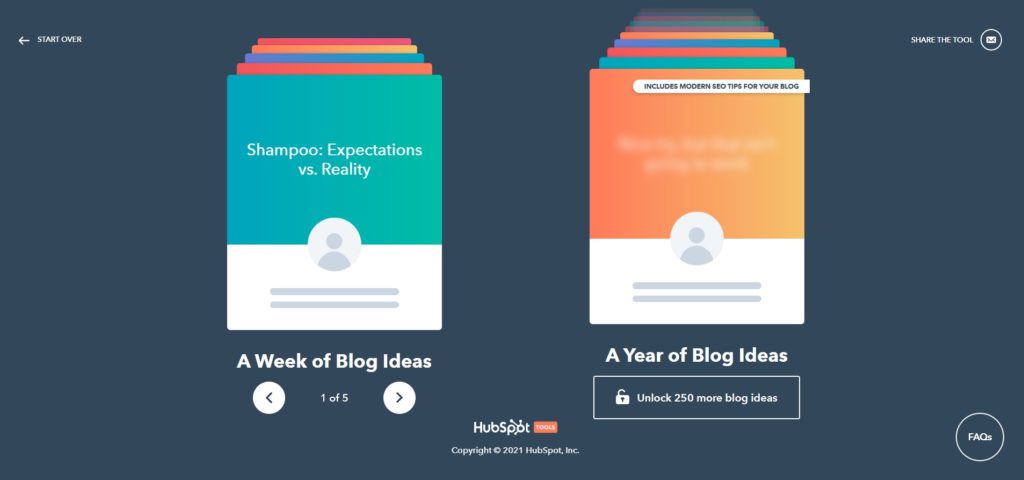
You can also unlock a year’s worth of blog post ideas by filling out a simple form and clicking “Unlock 250 more blog ideas.” Free tool.
AI angle: HubSpot folded most of its new AI ideation into Breeze AI inside the Marketing Hub. The standalone Blog Idea Generator remains useful for quick brainstorms, but for keyword-grounded ideation, ChatGPT or Claude with SERP data pasted in will outperform it.
You can push your blog’s SEO further by making sure your on-page SEO is tight. There are tools for this.
Details SEO Extension
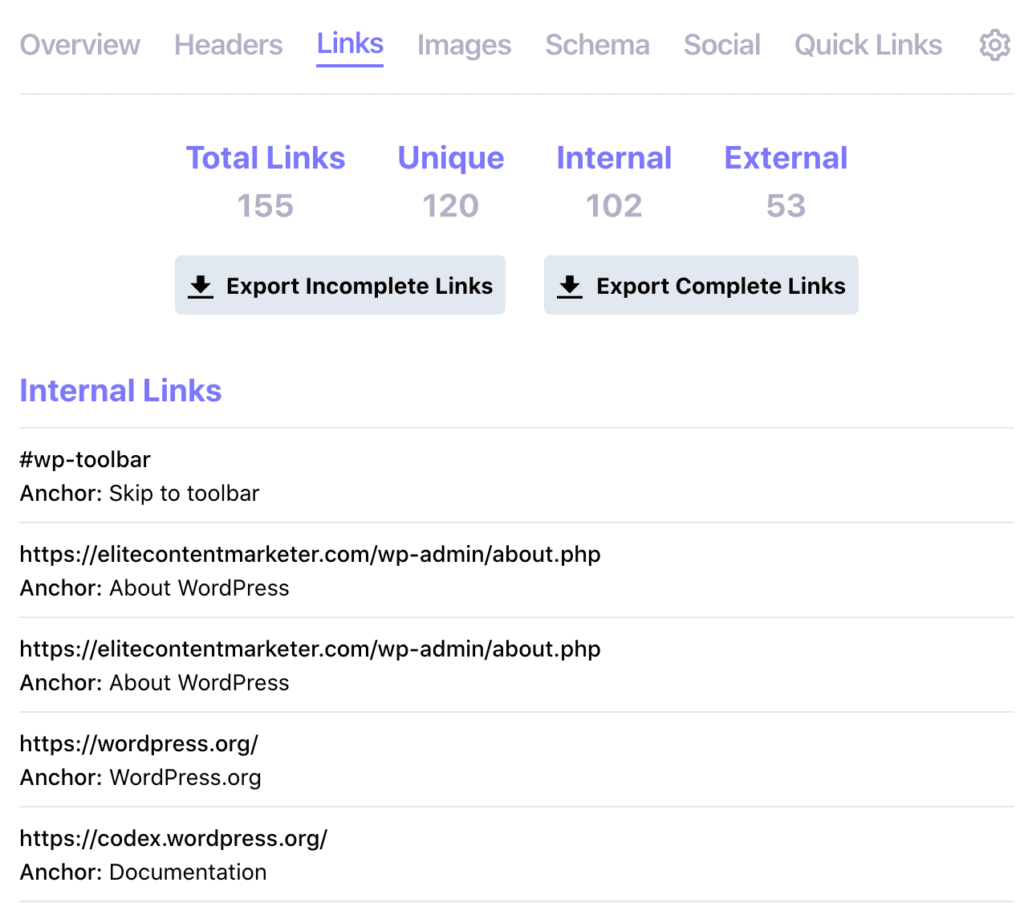
Details SEO Extension is a free Chrome extension created by Glen Allsop, an SEO thought leader. It is handy for doing quick research and getting an overview of competitor articles. It also shows quick page-level insights for any page you click on from your Chrome tab. Here’s what it shows for the best podcast hosting platforms article on the ECM website:
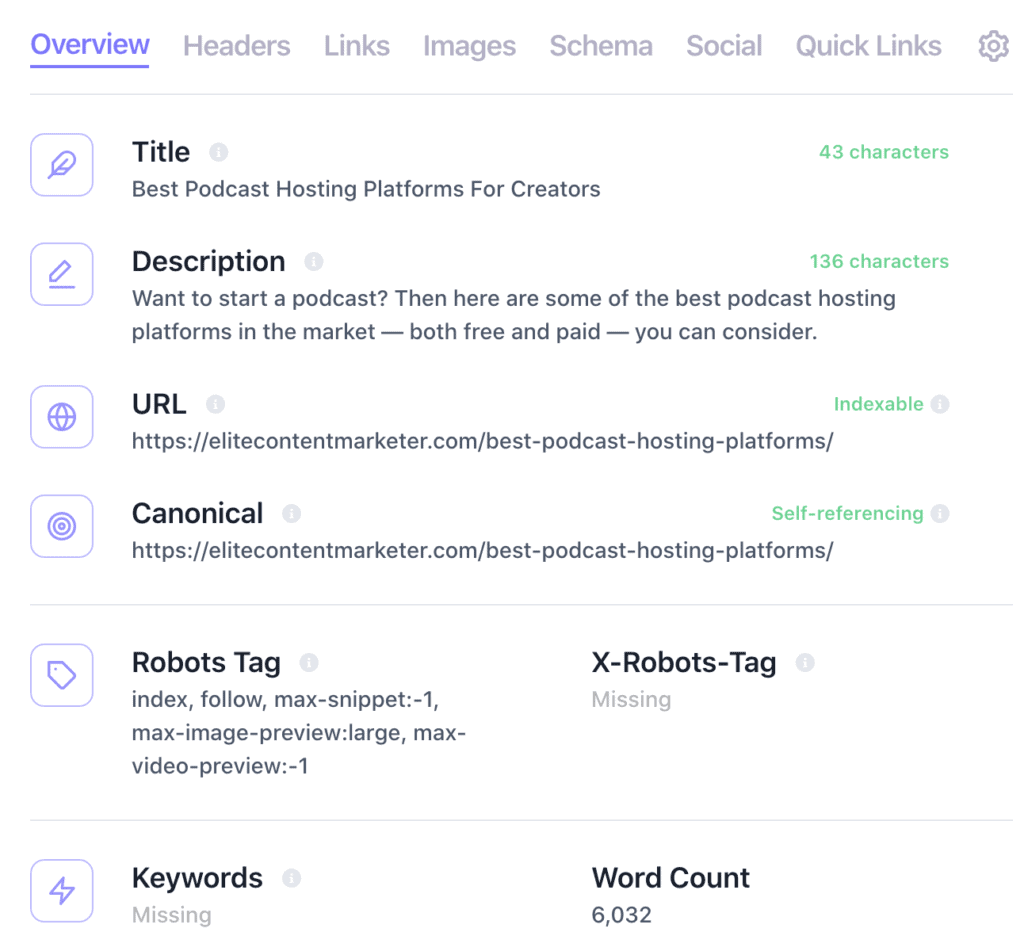
Its other tabs include details about the heading tags, links, images, schema, and more.
You can also save clicks for conducting an SEO analysis. Just right-click on any page you’re browsing and you’ll find the following options to view a site in Ahrefs, Archive, Majestic, SEMRush, and a host of other tools. It can highlight nofollow links for you as well.
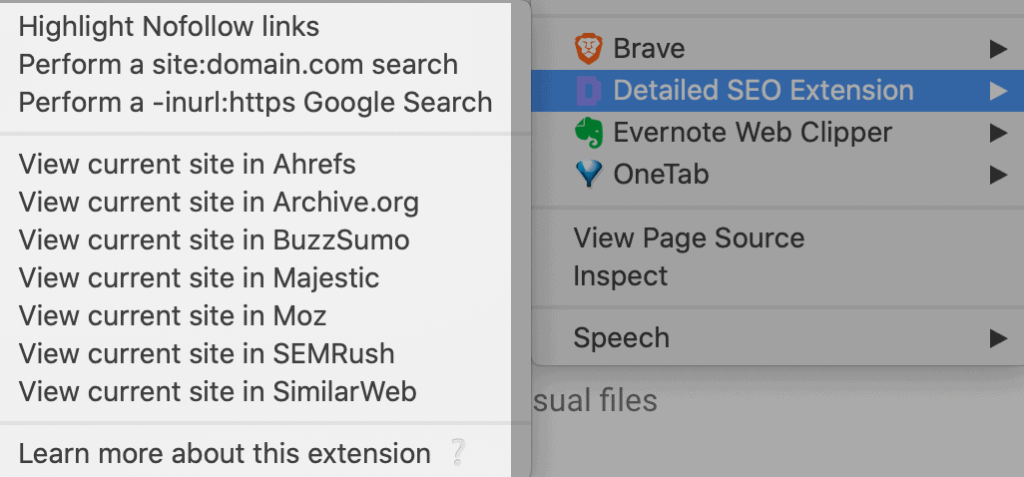
All-in-all it’s a powerful SEO tool that will improve your productivity.
SimilarWeb Extension
For performing a quick traffic analysis of a website, this free SimilarWeb extension is quite handy. It’s tucked in at the top of your browser and shows you an overall traffic trajectory when you use it on any site:

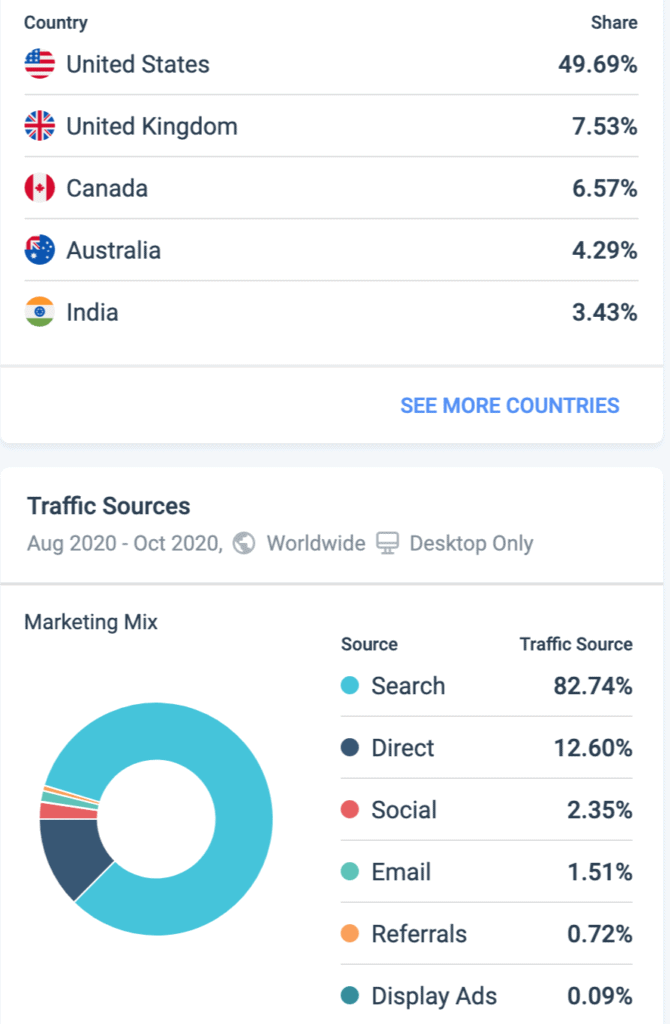
You can also scroll down and view its geography and traffic source reports. They show the split of a publication’s audience by country and how SEO, social, and other sources are contributing to their traffic:
Yoast SEO
Once you’ve uploaded your article in WordPress, Yoast SEO evaluates the text against on-page SEO best practices. It’s a handy checklist for internal links, external links, readability, and more.
AI features (2026): Yoast SEO Premium now includes AI-generated titles and meta descriptions (one-click from inside the post editor), powered by OpenAI. Premium is $99/year for one site. Honestly, I use Rank Math instead — the free tier ships more features (schema, redirects, 404 monitor) and its AI Content Assistant integration is tighter. Either works; pick one and stick with it.
WP Last Modified Info
Unless your content remains relevant, it’s not going to rank in Google search. So after publishing about 100 articles on your blog, you should update it regularly. And when you do update information, WP Last Modified Info displays it above or below your posts and pages.
The last update date keeps both visitors and Google happy.
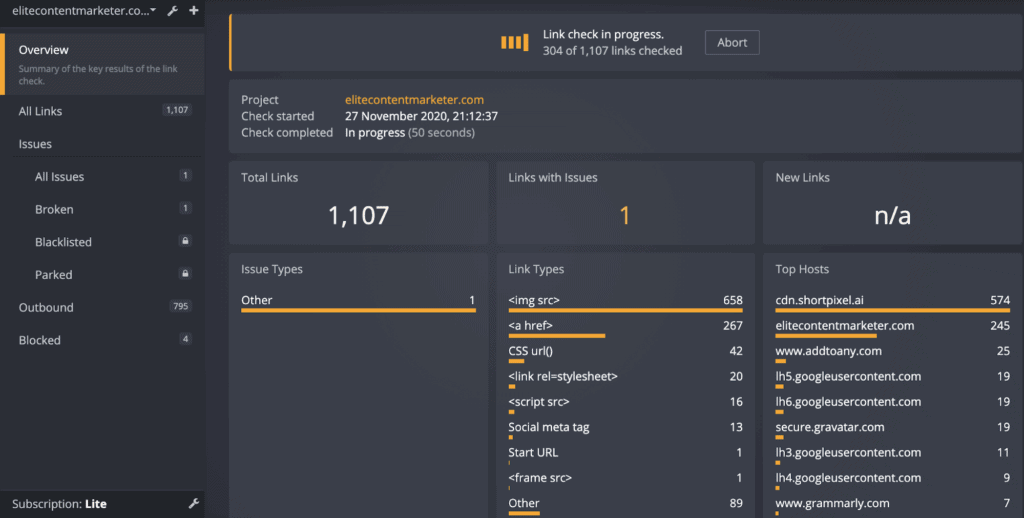
Dr. Link Check
Broken links are bad for your website. So fix them with Dr. Link Check by plugging it into your website.
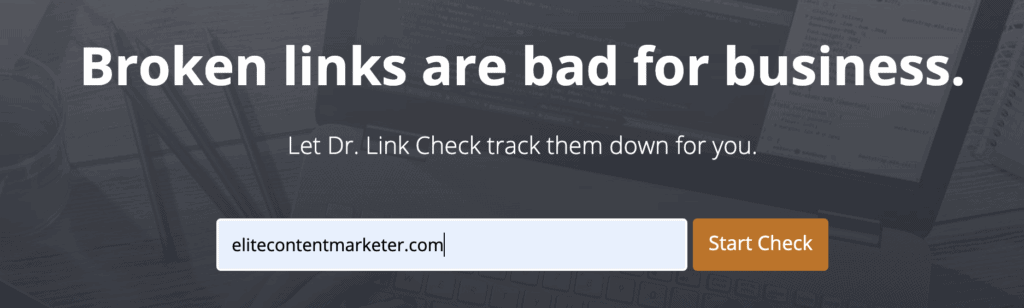
Once you start the check, it returns with the details of websites you’ve linked, the ones with issues, those that are broken, and the like.
Now that you have your writing and your SEO ready – where do you host your domain?
Top Web Hosts And Domain Registrars
A good web hosting tool can make your life easy. A bad one can make you spend most of your working hours on administrative tasks. Here are some of the best tools for web hosting your blog:
WP Engine
The first one on our list is WP Engine.
It is a dedicated WordPress host and can offer your top-notch speed and high side-performance. The tool has dedicated hosting as compared to shared hosting plans that are offered by general hosting companies.
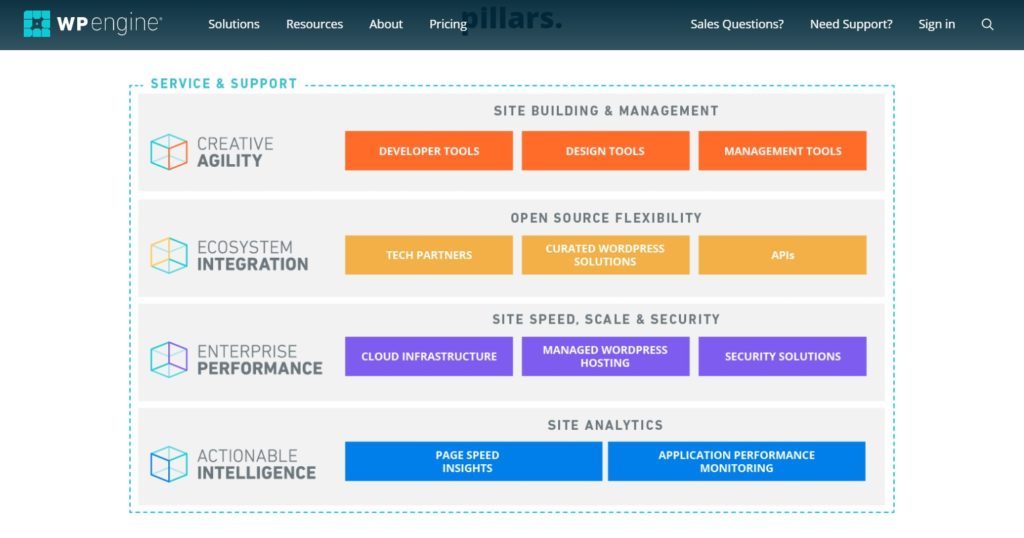
Although the price is on the higher side, you pay the premium for tremendous customer service and top-notch performance. And, isn’t that the dream? This tool remains unparalleled in what they do.
Namecheap
A major drawback of WPEngine plans is they don’t offer domain registrations. Namecheap is a top domain registrar you can use for the same. It’s often running special offers and offers one of the cheapest domain deals — at least for the first year. RochiZalani.com is registered with Namecheap.
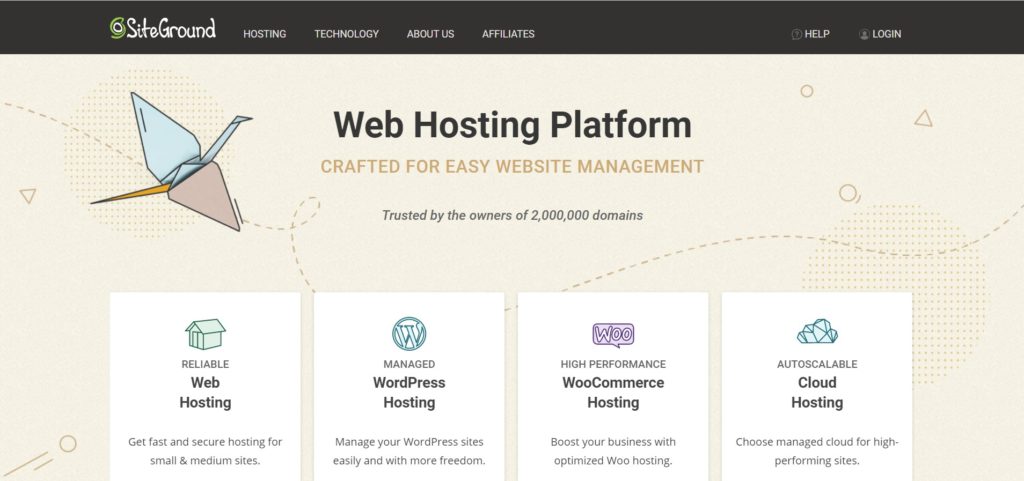
Siteground
Siteground’s startup plan comes with one free domain registration. They have a user-friendly cPanel, work well with WordPress websites, and offer great customer support. You even get the option to create unlimited emails that you can integrate with your Gmail account.
Bluehost
For beginner bloggers, Bluehost is highly recommended by most professionals. It’s not got to do with just the company paying affiliates really well, it’s also because their hosting service works pretty nicely for beginners. It hosts over 2 million websites worldwide and even has a 30-day money-back guarantee.
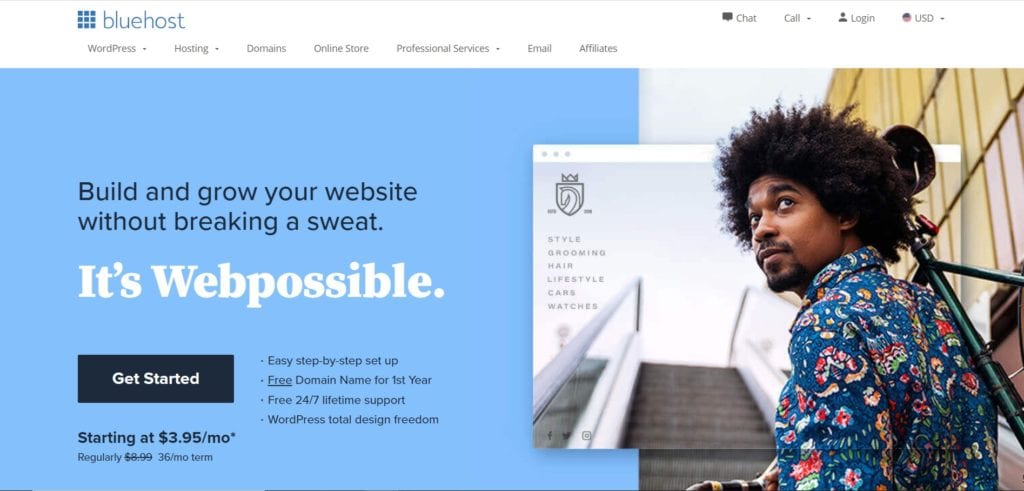
Their stunning website templates and customizable options make sure that your website looks aesthetically pleasing and delivers the maximum performance. You can also track useful analytics like the number of visitors, comments, etc. on the Bluehost dashboard.
But a good web hosting platform can only go so far. What makes a blog engaging is a click-worthy headline and beautiful graphics. How do you get that?
Stellar Graphic Design And Content Creation Tools
A good headline can increase the visitors to your blog post like magic. The right headline is not only SEO-optimized but engaging, click-worthy, and leaves some mystery to tempt the reader.
After you have lured the reader in, you need an engaging design & multimedia to keep the reader hooked. Here are some tools for ensuring that your blog posts are click-worthy and have stellar graphics:
Headline Analyzer
Your headlines are the most important part of your writing because a prospective reader makes their decision about your value through them.
CoSchedule lets you check the titles of your blog posts from an SEO perspective for free. You get a score with the attributes of specific words you’ve used in the headline. It’s pretty useful to observe your writing from such a lens, iterate a few version of your headline, and just get some practice:
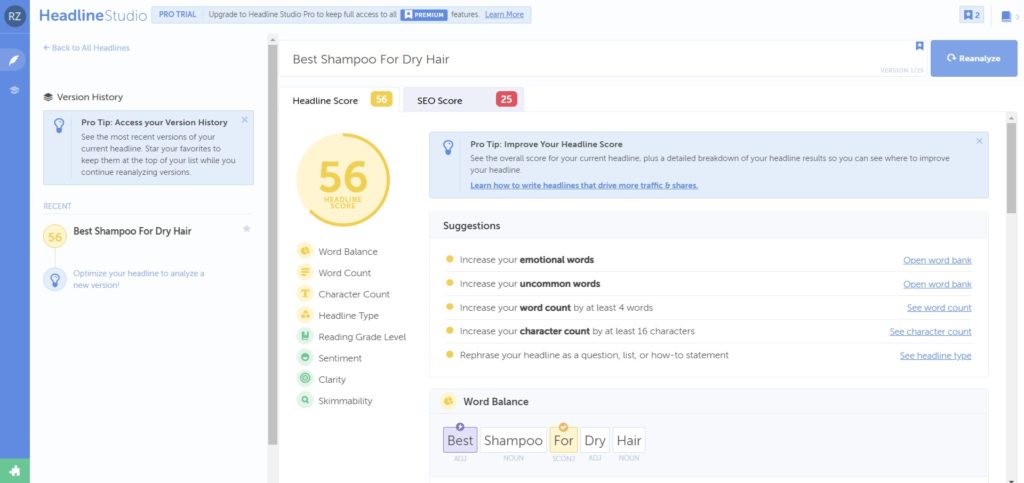
The company modeled this title generator on the Emotional Value Headline Analyzer by the Advanced Marketing Institute.
AI features (2026): CoSchedule’s Headline Studio Pro now uses an AI Headline Generator — type your topic, get 30+ headline variations scored on SEO, emotion, and click potential. Free tier gives you 5 scored headlines; Pro starts at $8/mo. For a no-cost alternative we built in-house, try our free Headline Analyzer.
Canva
Once you’ve chosen a photo for your blog or social media, you can design it on the top it using Canva. Add your brand colors and logo, and tailor its resolution as per the requirements of the platform you want to post it to — Canva makes everything as simple as drag and drop.
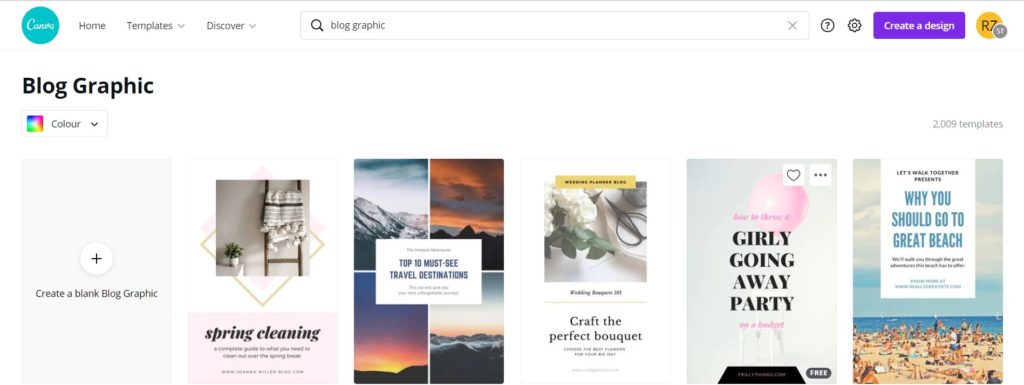
There are also thousands of templates to get started with almost any graphic you’ll need for your blog.
AI features (2026): Canva’s Magic Studio is the most extensive AI suite in any design tool — Magic Write (AI copy), Magic Design (full templates from a prompt), Magic Edit (object removal and replacement), Magic Expand, and a Dream Lab text-to-image generator. Free tier includes limited AI credits. Canva Pro is $15/mo; Teams $10/user/mo (minimum 3 users). See our Canva AI review.
Chintan’s take: I’ve used Canva for every blog featured image on this site for years. Magic Write is fine for ideation but the copy feels generic — I still paste prose from Claude. The design AI features genuinely save time.
Tomato-Timer
If you find it difficult to sustain concentration, then the Pomodoro technique involving working in intervals can work for you. It trains your brain to resist interruptions and impulses, and stay focused for short periods.
To practice it, use this handy free Pomodoro timer. While you’re writing, it shows up in your browser and the countdown ensures you’re on your toes to pursue the task at hand:

As soon as your writing session (or another blogging task you’re pursuing) ends, the timer buzzes with audio.
You can then choose either the “Short Break” or “Long Break” tab, and start a timer for 5 minutes or 10 minutes.

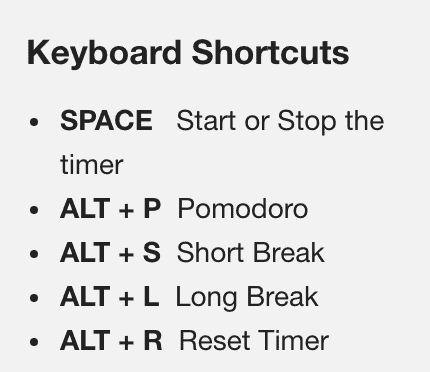
There are keyboard shortcuts you can use to perform the above functions quickly as well:
Elementor
While the WordPress visual editor has come far in terms of its functionalities, a page builder like Elementor can still be super handy. It lets you design personalized experiences for your visitors without coding — simply drag and drop.
You can add interactive elements to your articles including a table of contents, accordions, and a feature box to share quick information such as the one below for Buzzsprout review.
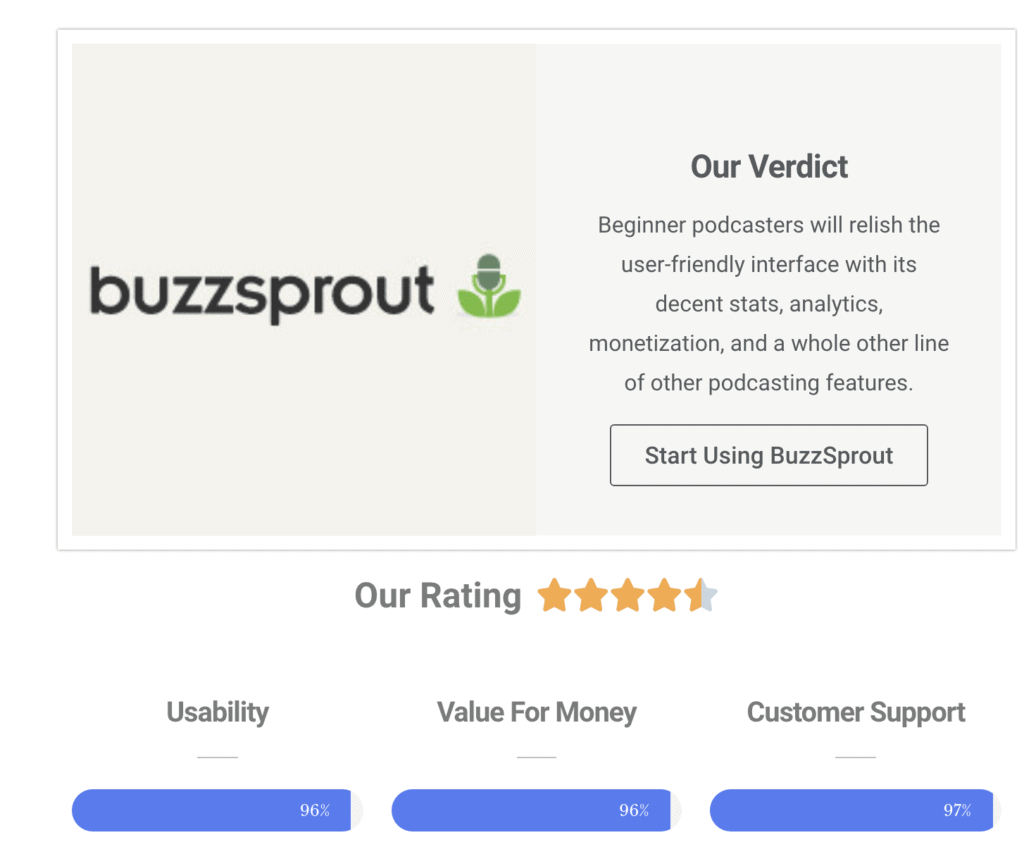
You can change the visual layout of articles or design whole websites.
AI features (2026): Elementor AI generates copy, images, and full section layouts from a prompt, and an AI site builder spins up a complete WordPress site from a few answers. The free plan includes limited AI credits; Elementor Pro starts at $59/year.
I’ve used Elementor Pro for years. It’s powerful but the learning curve is steep and page-load impact is real if you over-design. Lean into the free WordPress block editor for simple posts; bring in Elementor for landing pages and sales pages.
Preview App
Pictures and multimedia keep your reader from getting bored through large chunks of text by providing breathing space. But they also add value by “showing” the ideas you’re writing about in action. The in-built preview app on Macbook works great to take screengrabs.
If you write technical articles, this could mean screenshots of software performing certain functions. While the preview app suffices for most purposes, Skitch by Evernote is sometimes handy for annotating on images.
Unsplash
Want a free stock image for adding a visual flavor to your blog posts and social media promotions? Look no further than Unsplash. It has high-quality and high-resolution graphics on most kinds of subjects with a search bar for finding them. Plug your next blog post’s title inside to find out a featured image for it:

Fiverr
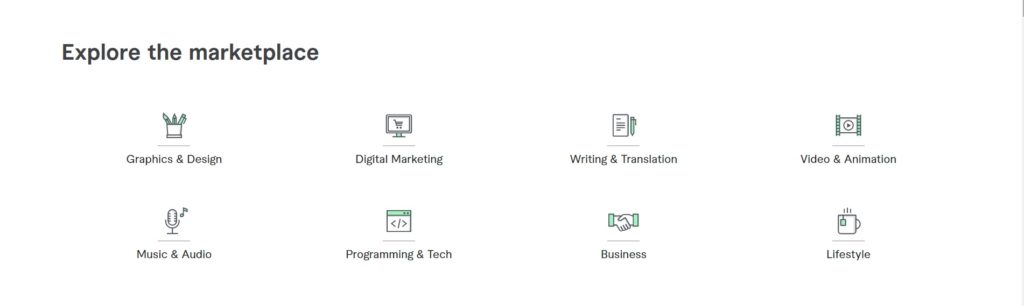
If none of the above graphic design tools make the cut for you, head over to a freelance marketplace like Fiverr. You’ll find many invaluable gigs on the platform at affordable costs which can improve the brand of your blog.
You’ve done almost all of it – write your content, choose your web hosting platform, optimize your SEO, and even create an engaging headline & graphics. But don’t just hit publish yet.
Editing Tools For Bloggers
Once you’ve written a piece of content for your website, it’s time to polish it and enhance its readability. You don’t want your readers to point out a grammar mistake in your stellar blog post, do you? There are several tools that can help you edit your blog. Here are the top ones:
Grammarly
Want a proofreader to find out the typos, grammar, and other issues with your writing? Then Grammarly is perfect. The premium version of this grammar software has the ability to fix most kinds of errors.
It’ll save you a few embarrassing errors while sending emails or performing other blog operations.
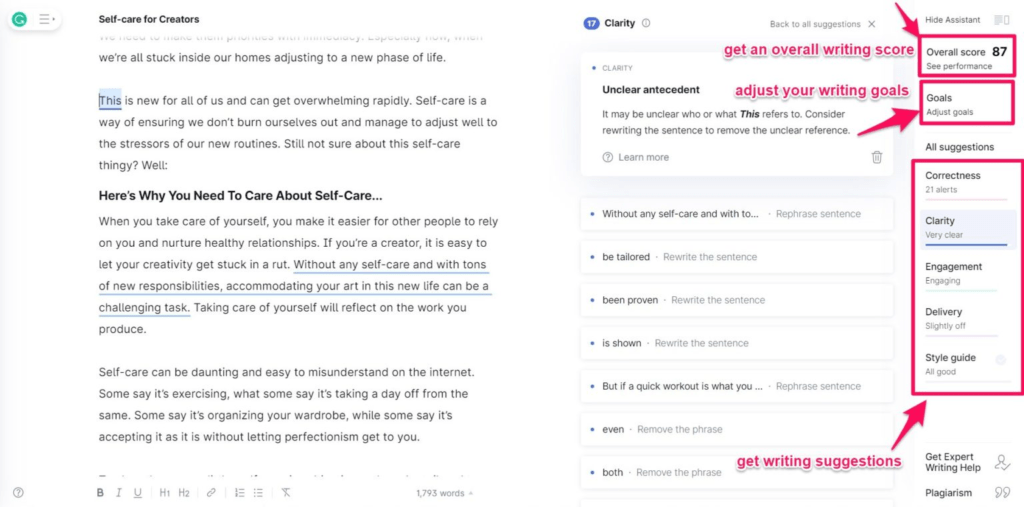
Most writers are fine on the free plan. Read our Grammarly review to decide whether Premium is worth it for your workflow.
AI features (2026): Grammarly’s generative AI assistant (formerly GrammarlyGO) now handles rewriting full paragraphs, adjusting tone, drafting replies, and summarizing long text. It’s included on every paid plan. Pro is $12/mo billed annually; Business $15/user/mo. I run Grammarly Pro constantly — the passive-voice and wordiness catches still earn their keep.
The honest knock: Grammarly’s style suggestions can flatten voice if you accept them blindly. Read every change; don’t click “Apply All.”
HemingwayApp
If you tend to write long-wielding sentences and use weak language, it can lead to readers dropping off your website. The Hemingway Editor can fix such issues for you and improve the readability of your writing — that too for free.
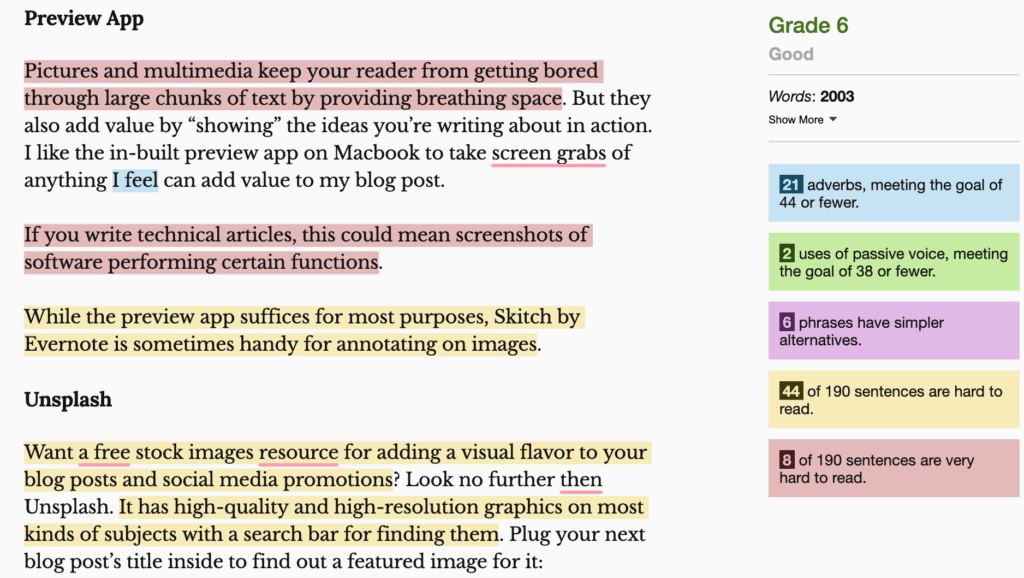
Once you paste your text inside the app, it highlights the adverbs, uses of passive voices, hard-to-read long sentences, and the like.
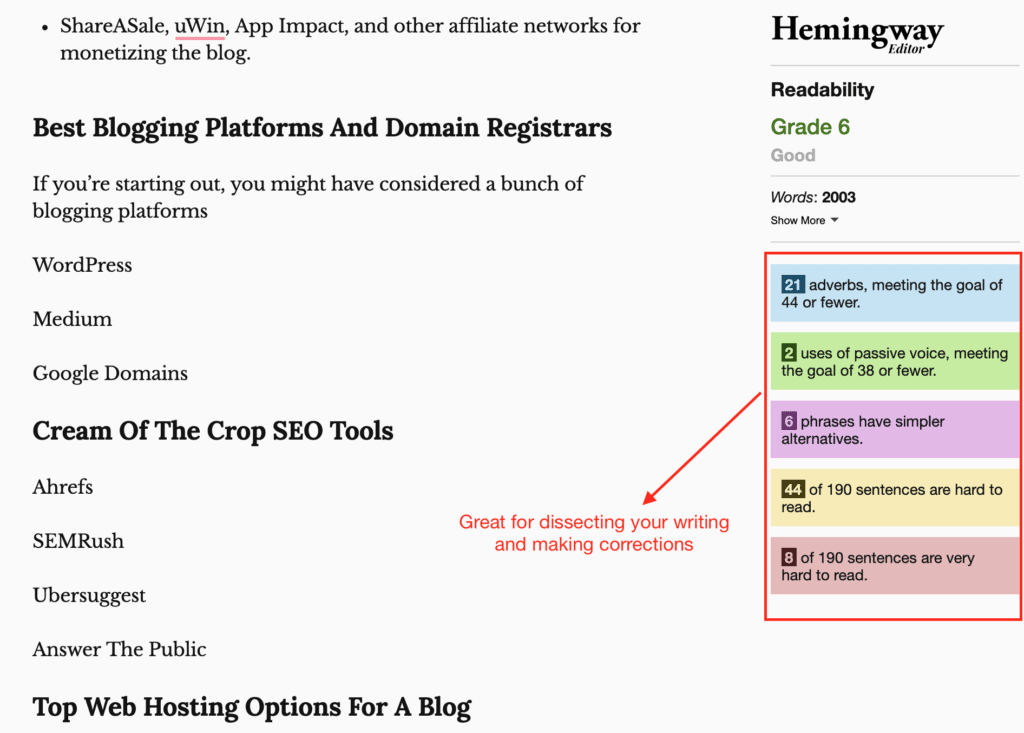
Here’s an example paragraph with color code shown inside the editor which can use some editing:
AI features (2026): Hemingway Editor Plus added AI-powered rewriting — click “Fix with AI” on any highlighted sentence and it rewrites to a target grade level. Plus is $10/mo or $100/year; the free web app still works for basic readability checks. See our Hemingway review for detail.
Upwork
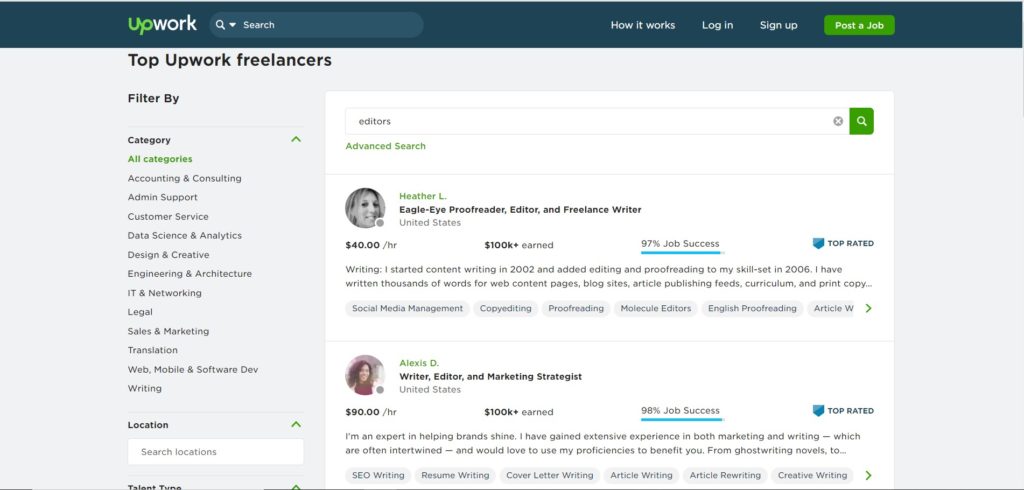
There’s only so much an artificial intelligence-based (or otherwise) software can do for detecting errors in your writing. If you’re working on a special project, getting a fresh pair of eyes to go through your text will help. A freelance marketplace is where you can find such talent at an affordable cost.
You can hire an editor from Upwork asking them to tell you your habitual writing errors by reading an article you wrote.
One blog post is easy enough to publish. But if you’re a blogger, you’ll be probably working on various blog posts at the same time. For this, it is crucial you organize all your projects effectively.
Project Management Tools
When you run a blog, there’ll be many posts and projects you’ll be managing simultaneously. The best way to not be all over the place is to use a project management tool that helps you stay on top of everything. Here are some of the best ones:
Google Drive
Google Drive is the tool we all need.
You can store on it the documents and files that are related to your website, content pieces, your blog, and your writing. It is cloud-based storage associated with your Google account that gives you 15 GB of storage for free.
It is secure and you can even share your files with others if you want to collaborate with them. You can share pretty much everything from documents to videos, from presentations to pictures. This is where all the magic happens.
All you need is an internet connection and a google account and you’re all set!
Google Sheets
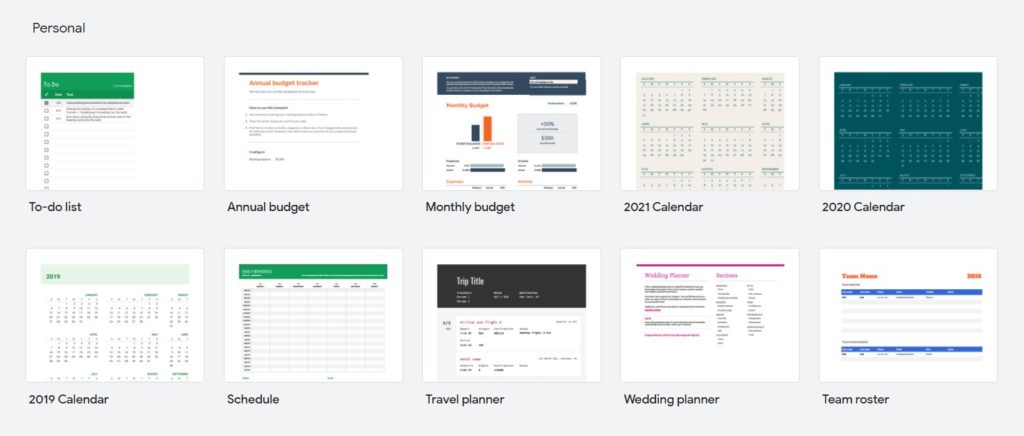
You can use a Google Sheet template to manage your editorial calendar, keyword research, and guest posting pipeline. You can also attach dates, add notes, comment and collaborate with your teammates, and more.
Trello
A free project management suite that can come in handy to organize your publishing workflow is Trello. You can create a board, invite your editors, designers, and other team members to it. Then create lists for each stage of publishing and add a card for every blog post where its complete context can reside.
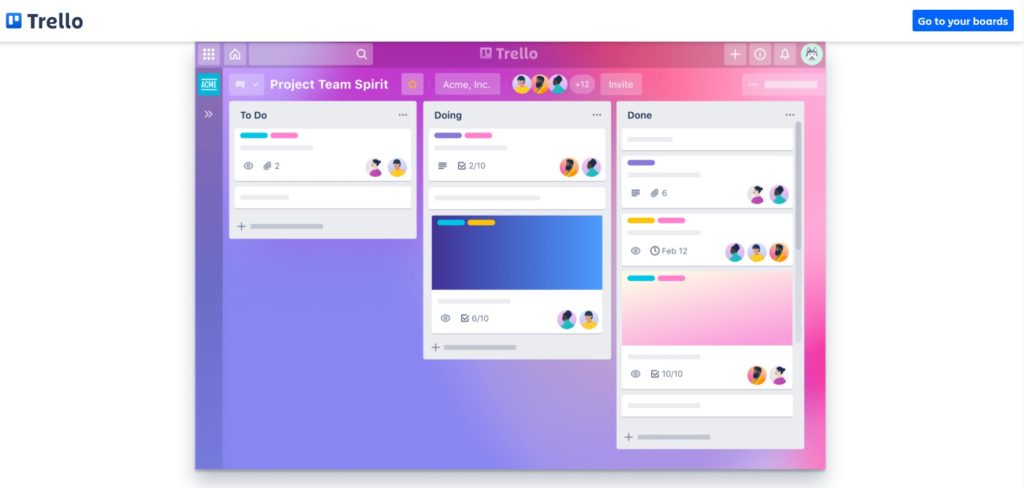
It’s also possible to assign tasks, call out team members, and attach deadlines to every task. If a list gets too cluttered, then you can archive a list or card.
RescueTime
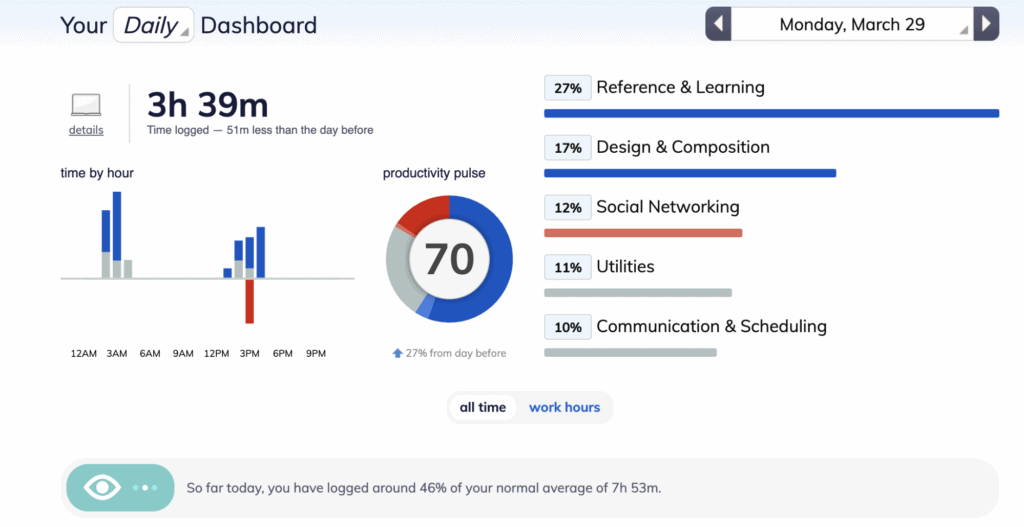
You can’t fix what you don’t measure. So, install a time management software such as RescueTime and understand your circadian rhythms. It’s pivotal to your personal performance in the long-term and the success of your blog.
Once you find your most productive hours of the day, guard them by not scheduling any calls during or other similar tasks during those hours.
Now that you’re organized in your SEO, blog posts, and graphics, take protection to ensure that your site remains well-optimized and functional.
Site Security, Optimization, And Backup Tools
Site security is essential for your blogging website to ensure that your content always remains available and functional. And you don’t have to do much with these best tools in this arena:
Cloudflare
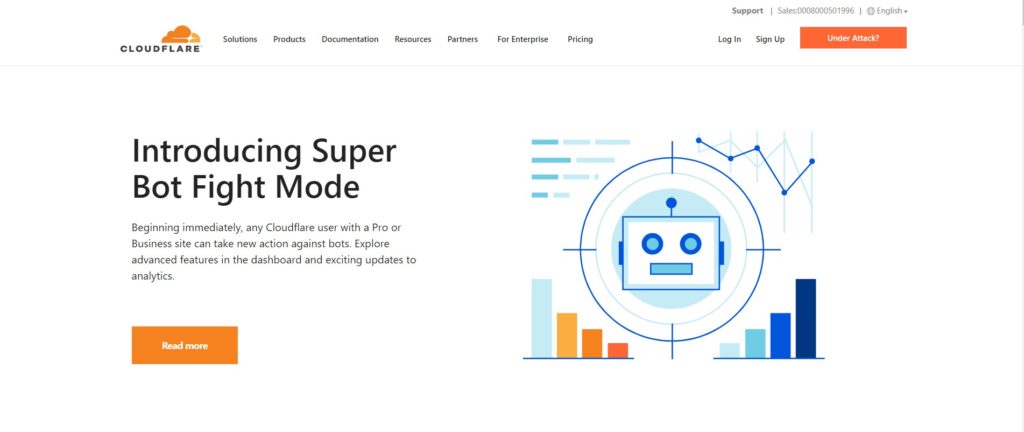
Your website is hosted in a specific physical location. With a CDN like Cloudflare, distributed servers across the world reduce the physical distance between a user and your origin. Your site gets faster, and Cloudflare’s WAF scans and blocks malicious bots.
AI-era features (2026): Cloudflare added AI Scraper Blocking (one-click block on all known AI training crawlers — GPTBot, Bytespider, Google-Extended, and dozens more), AI Audit (shows which AI bots are actually hitting your site), and AI Labyrinth (a honeypot that slows down aggressive scrapers). Free plan covers this for basic sites. If you don’t want your content silently training someone else’s model, switch this on.
W3 Total Cache
W3 Total Cache is a WordPress plugin that reduces the loading time of your website. This enhances the user experience more than you think. This plugin also improves your SEO and helps with your Google rankings.
Shortpixel
Images add visual value to your articles and break the content into readable chunks — having one graphic per 200 words is generally a good idea. But too many such images could impact the loading speed of your website. Shortpixel compresses images as soon as you upload them to WordPress and carries the optimization for size on autopilot.
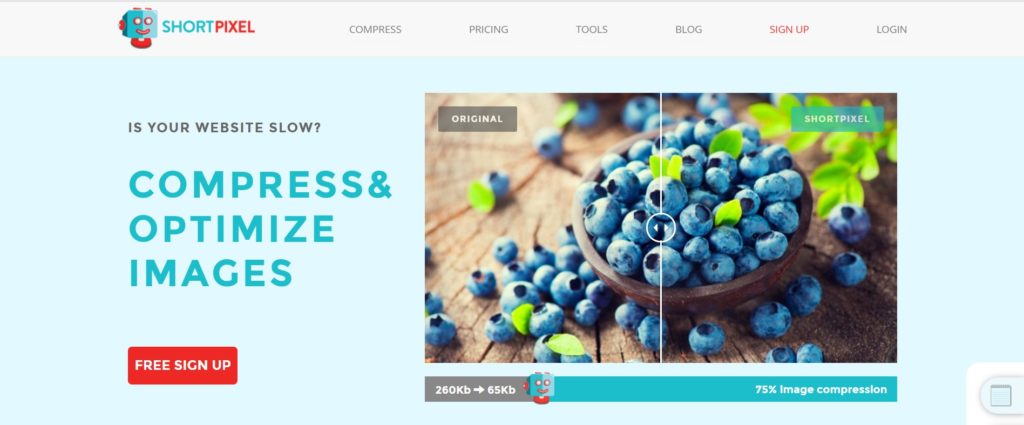
The plugin will save time and effort in running your images through an image compressor.
Wordfence
Wordfence is a WordPress security plugin that protects your website from attacks and malicious IP addresses. They claim that they leverage user identity information in over 85% of their firewall rules.
UpdraftPlus
UpdraftPlus helps you backup and restore your WordPress website. You can easily set up backup schedules and restore your WordPress backups through the control panel. The premium version also offers clone and migration services.
Even despite doing everything though, is there a way to earn money from a blog? Yes! Monetization of a blog is possible and there are several ways in which top bloggers do this.
Affiliate Networks (And Other Blog Monetization Tools)
In the first few years — and possibly even afterward — affiliate marketing is a handy way to generate income from a blog. Besides selling your own products and services is also a lucrative blog monetization strategy. Let me introduce you to a few tools you can use for the same in this section:
Shareasale
Shareasale is an affiliate network that helps you partner with brands, influencers, etc. Affiliate networks facilitate the transaction between influencers such as you and brands that want to recruit affiliates for promoting their products.

Thirsty Affiliates
To manage your affiliate links, the Thirsty Affiliates freemium WordPress plugin is pretty useful. You can cloak links, nofollow them, set up redirects, and manage them from an easy-to-use dashboard.
Thinkific
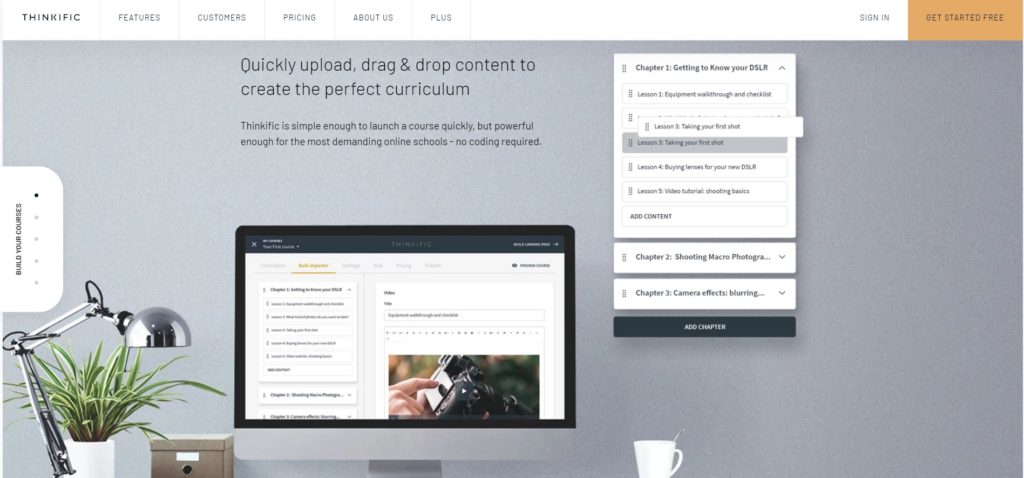
As a blogger, you should not limit yourself to become a textual content creator. Informational products such as Ebooks could sell decently, but online courses sell like hotcakes. So, build an email list of subscribers, then get yourself busy with an online course platform like Thinkific.
When all is said and done, you need content distribution platforms to make a deliberate effort to reach your audience. This can be done through social media and email marketing.
Content Distribution And Email Marketing Tools
SEO can help your content rank in Google. But there are other ways to distribute your content with the advent of social media and email marketing. Here are some tools that can help with content distribution:
Facebook Ads
Let’s face it: the organic reach on almost all major social media networks is close to nil. They are now pay-to-play platforms, but their advertising tools have really granular targeting capabilities.
Facebook is the one platform where almost all niches of business — including bloggers — manage to find an audience. They also make it super easy to get started: just invest $5 per day.
Mailchimp
Not building an email list is the top mistake most bloggers admit to. It lets you build deeper relationships with readers and share your latest articles directly. Mailchimp offers a free plan for up to 500 contacts (they tightened this from 2,000); paid plans start at $13/mo. See our Mailchimp breakdown.
AI features (2026): Intuit Assist (the Intuit-owned AI layer) now powers subject-line generation, send-time optimization, and segment recommendations inside Mailchimp. Generative email content is available on Standard plans and above.
The knock: Mailchimp’s pricing climbs fast once you grow. For serious creators, Kit (below) or Beehiiv have replaced it as the default.
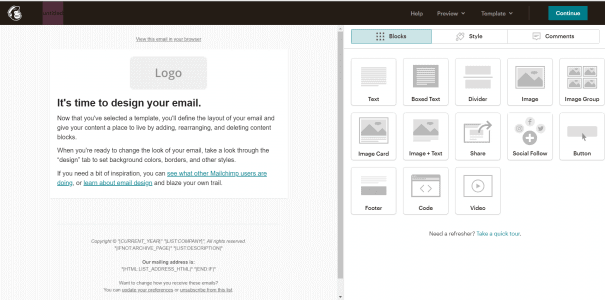
Here are the best email marketing software(s) in the market if Mailchimp doesn’t work for you.
ConvertKit
Kit (formerly ConvertKit) rebranded in 2024 and is the creator-focused email tool I recommend for bloggers who plan to also sell products. Super clean UX — easy to build forms, landing pages, an email course through their autoresponder, and manage tags.
AI features (2026): Kit’s built-in AI writing assistant drafts subject lines, rewrites email copy, and suggests variants based on past engagement. Free plan covers up to 10,000 subscribers (most generous in the space); Creator starts at $25/mo for 1,000 subscribers with automations. See our Kit review.
The honest knock: Kit’s visual email builder is still simpler than Mailchimp’s — plain-text-forward by design. If you want heavy visual templates, Mailchimp or Brevo fit better.
Tailwind
Most social media platforms don’t offer any organic reach. But there is an exception.
The exception is Pinterest where my friend Shreya Dalela managed to build the ECM business profile to over 570k viewers in a few months.
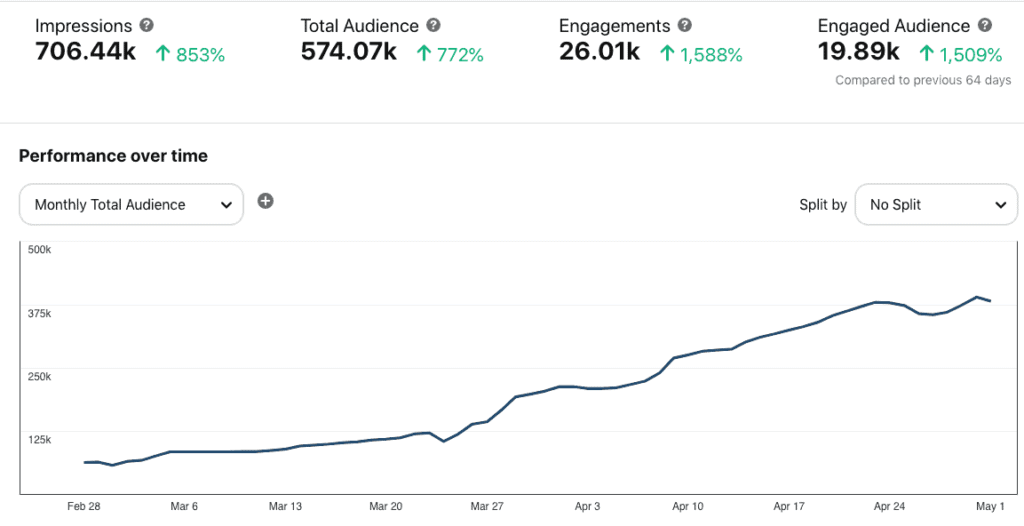
A key aspect to getting link clicks through this visual social media platform though is remaining active on the platform. The Pinterest algorithm rewards fresh content which means you need to schedule about 15 to 30 posts — spread throughout the day.
Doing this manually is painful. Tailwind schedules Pinterest content at optimal times for each board.
AI features (2026): Tailwind’s Ghostwriter now generates pin titles, descriptions, and hashtags from a URL or prompt, and Create generates on-brand pin images from your copy. Free plan gives 20 posts/mo per channel; Pro is $14.99/mo.
Buffer
If your audience hangs out across LinkedIn, X, Threads, Bluesky, or Instagram, Buffer is the cleanest scheduler. Queue content across channels and analyze performance to expand reach.
AI features (2026): Buffer’s AI Assistant rewrites posts for each channel’s format (LinkedIn-length, X-length, Threads-length), generates hashtags, and suggests follow-ups based on what performed before. Free plan covers 3 channels; Essentials $6/mo per channel. See our Buffer review.
AddToAny Plugin
If you include social share buttons on your website, then they provide convenience to your visitors for sharing your content. AddToAny WordPress plugin is great because of the customization it offers.
Tubebuddy
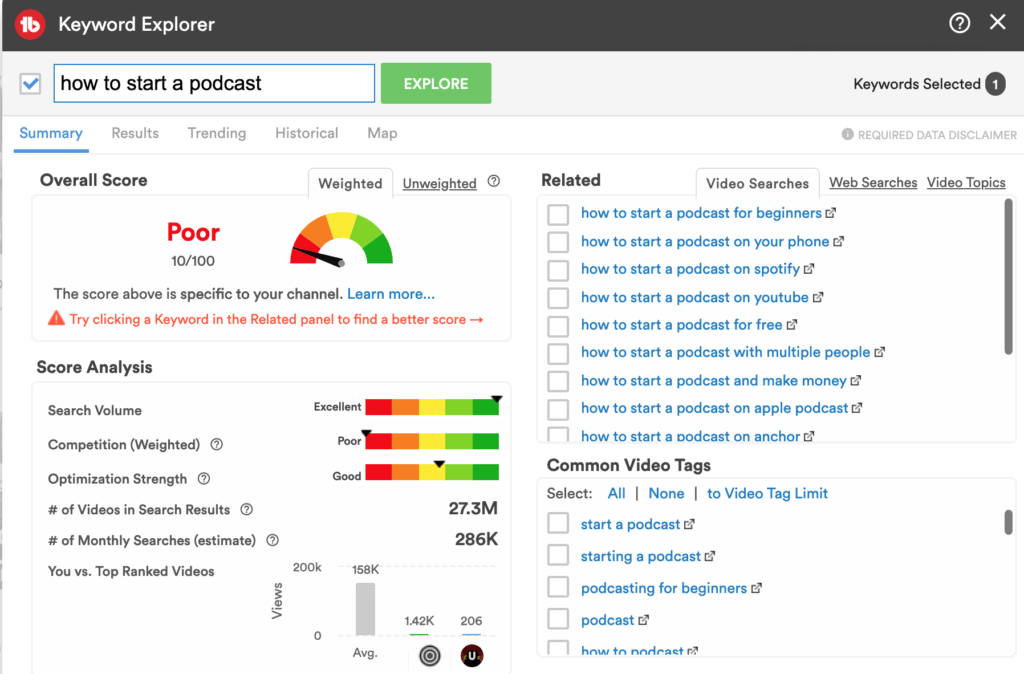
If you plan to start a YouTube channel alongside your blog (which is highly recommended), then Tubebuddy could be a great companion.
TubeBuddy is a YouTube growth tool that surfaces target keywords, dissects competitor channels, and gives you productivity and channel management utilities.
AI features (2026): TubeBuddy’s AI Coach generates video ideas, titles, descriptions, tags, thumbnails, and chapter timestamps from a transcript or prompt. Free tier limited; Pro $5.50/mo; Legend $35.99/mo. See our TubeBuddy review.
And voila! Those were all the best blogging tools you can use to earn more & get more writing done. If you need more, here are some blogging tools that deserved a mention:
Miscellaneous Blogging Tools
There are some blogging tools that can be helpful in certain scenarios. If you are thinking about starting a podcast or hunting for more ways to write quickly, read ahead:
Google Analytics
From the start of your blog, install Google Analytics by adding a pixel to your website’s header. It’s a free and powerful platform to track the traffic and engagement you get. You can measure and analyze the kind of content that’s performing well for you and learn details about your audience.
You can set up business goals and assign values to them, so you know the completion. For example, getting email subscribers, clicks on your affiliate links, and the like could have tangible values.
Buzzsprout
Many creators also start a podcast alongside their blogs. It offers a convenient content consumption medium to their readers and exposes them to newer audiences as well. Buzzsprout is a free podcast hosting platform with powerful podcasting features and it scales well as you grow your audience.
Otter.ai
On the podcasting note: Otter.ai creates transcripts for interviews, meetings, podcasts, and any voice conversation in real time.
AI features (2026): Otter AI Chat lets you ask questions of any transcript (“what were the top objections?”, “summarize the action items”), AI Meeting Summary drops into your inbox after every call, and OtterPilot can join Zoom/Google Meet/Teams meetings on your behalf. Free plan gives 300 transcription min/mo; Pro $16.99/mo; Business $30/user/mo. See our Otter.ai review.
Wordable
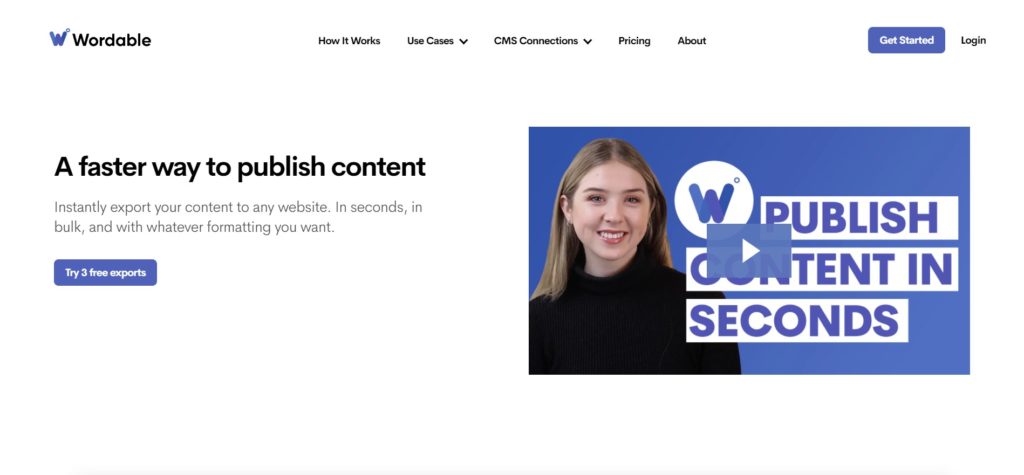
If you write in Google Docs, uploading to WordPress is a pain — formatting breaks, images come through huge, and heading styles drop. Wordable moves a full post from Google Docs to WordPress, HubSpot, or Medium in one click, preserving formatting and compressing images automatically.
AI angle: No AI generation features, but it pairs well with AI-drafted content — your Claude or ChatGPT draft lives in Docs, then lands in WordPress clean. Free trial covers 5 exports; paid starts at $50/mo.
Lastpass
Lastpass is a cool password manager which lets you store your login details for the various websites you visit. You can also share these credentials with other professionals with whom you want to share access to your product/service.
I know this list can get overwhelming. But you don’t have to use every tool to run a successful blog. Head on to the next section to see what we use at our own blog!
Blogging Tools We Use
At Elite Content Marketer (ECM), the tools we personally use right now to take a post from ideation to publishing are the following:
- WordPress as our content management system (CMS), WP Engine as the web host, and Google Domains as our domain registrar,
- Ahrefs to conduct keyword research, competitor research, and come up with writing topics to add to our calendar.
- Google Sheets and Trello to organize the content calendar and manage the editorial workflow,
- Headline analyzer for crafting blog post titles, Google Documents to write and collaborate on the blog posts. And Elementor for uploading the article to our CMS,
- Yoast SEO for optimizing our content and Shortpixel for reducing the size of the images,
- ShareASale and other affiliate networks for monetizing the blog,
- Google Analytics for measurement of our content performance.
AI-Native Blogging Tools Worth Adding
The 2026 stack is incomplete without a foundation model and at least one AI-native SEO writer. Here are the four that most consistently earn their place in a content marketer’s workflow.
ChatGPT
ChatGPT is the default for a reason. I use it for outlining, rewriting, and adversarial review of my own drafts (“poke holes in this argument”). The GPT-5 model handles long-context work (200k tokens) that older models choked on.
Pricing (2026): Free tier (with rate limits), Plus $20/mo, Pro $200/mo (unlimited access to reasoning models, Deep Research, Agent mode), Team $25/user/mo, Enterprise custom.
The knock: ChatGPT still hallucinates facts and URLs confidently. Never trust a stat or citation without verifying.
Claude
Claude (from Anthropic) is my first pick for long-form blog drafting. It holds voice and structure over long outputs better than ChatGPT in my testing, and Projects let you load your whole style guide plus past posts once and reuse them.
Pricing (2026): Free tier, Pro $20/mo, Max $100–$200/mo (for power users hitting rate limits), Team $30/user/mo, Enterprise custom.
The knock: Claude’s web search is newer and thinner than ChatGPT’s. For research-heavy drafts I still reach for ChatGPT or Perplexity alongside it.
Jasper
Jasper is the marketing-team AI suite — brand voice training, campaign templates, on-brand image generation, and a Chrome extension that writes inside any tool. For solo bloggers it’s overpriced, but for teams running content across blog, email, and ads, it centralizes the stack.
Pricing (2026): Creator $49/mo, Pro $69/mo, Business custom. See our Jasper review.
The knock: Jasper is a wrapper on underlying foundation models (Claude, GPT, Gemini). You’re paying for workflow, templates, and brand voice — not better raw output. If you’re one person, ChatGPT Plus plus a prompt library gets you 90% of the way for $20.
Surfer SEO
Surfer SEO is what I use to align drafts with SERP expectations. Paste in a keyword; Surfer tells you the target word count, required terms, heading patterns, and NLP entities top-ranking pages share. Its AI Article Writer can also draft a full SEO-optimized post from a keyword, which I treat as a structured outline rather than a final draft.
Pricing (2026): Essential $99/mo, Scale $199/mo, Enterprise custom. See our Surfer SEO review.
The knock: Don’t chase the green score blindly. Surfer’s content score is a directional signal, not a ranking factor — stuffing terms to hit 80+ can flatten your voice without moving rankings.
Frase
Frase is the lighter-weight Surfer alternative. It pulls SERP data, outlines the article structure top-ranking pages share, and its AI Writer drafts sections on demand. For bloggers who don’t need Surfer’s deeper NLP engine, Frase does 80% of the job at half the price.
Pricing (2026): Solo $15/mo (1 article), Basic $45/mo (30 articles), Team $115/mo (unlimited). See our Frase review.
Final Thoughts
The blogging stack in 2026 is simpler to assemble than it’s ever been — because AI collapsed what used to be five separate tools into one prompt — and harder to use well, because everyone else has access to the same AI. What separates ranked, cited content from AI slop now is your POV, your lived experience, and the specificity of your criticism.
If I had to strip this list down to the minimum viable blogging stack for 2026, it’d be: WordPress (self-hosted, with Rank Math), Claude or ChatGPT for drafting, Surfer SEO or Frase for SERP alignment, Grammarly for final polish, Canva for graphics, Kit for email, and Buffer for social. Everything else is nice-to-have. Pick the one that earns its keep in your workflow and skip the rest.

Written by
Rochi Zalani
A former staff writer at Elite Content Marketer, Rochi is a closet poet and a productivity nerd. When not whipping up SaaS content, she’s writing bookish essays on her website, rochizalani.com, and chatting with her newsletter community. If you believe there’s nothing that can’t be cured by some fresh poetry and an F.R.I.E.N.D.S episode, reach out to her on Twitter.
View Profile →Related Articles
AI Tools & Software
Teachable Vs. Thinkific: Exhaustive Comparison
Thinkific and Teachable are consistently ranked among the best online course platforms on the first and second spots. But which one of them is better suited for your online education business requirements without breaking the bank? Let’s break down Teachable vs. Thinkific course platforms. Note: This article contains affiliate links. ... Read more
Apr 8, 2026Read more →
AI Tools & Software
Kajabi Vs. Teachable: Which Is The Better Course Platform
Kajabi and Teachable are popular online course platforms. Both have their share of pros and cons — but which one’s the best suited for your needs? Let’s break down the Kajabi vs Teachable debate in this article. Overall, I’d recommend going for Kajabi if you’re a pro-creator and need a ... Read more
Apr 8, 2026Read more →
AI Tools & Software
Best Creator Tools to Build, Monetize, and Profit
Here is our curated list of top tools you can consider as a content creator. I’ve divided them across categories for different use cases. Note: Some of these use affiliate links, so if you buy through our link, we may make a commission (at no cost to you). Thanks for ... Read more
Apr 8, 2026Read more →